Canon Firmware Updates: EOS R3, R5, R5 Mark II, R6, R6 Mark II, R7, R8, R10, R50, R100
canon eos r3 review canon cameras eos r1

Canon released a huge set of firmware updates. Download links and description below.

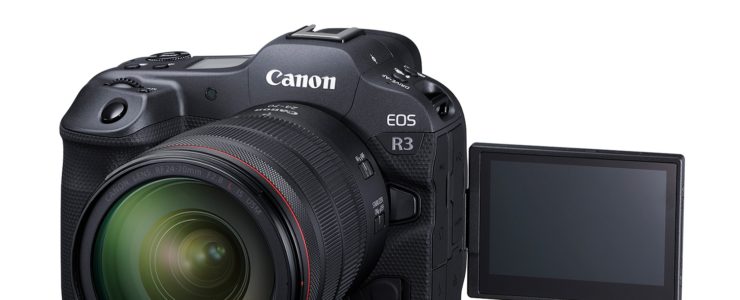
  • EOS R3 Firmware Update, Version 1.8.0
    • Adds [Protect Images] and [Rating] during FTP Transfer.
    • Adds the ability to select [Wired] as a connection option when [Airplane mode] is set to [On].
    • The following issues have been fixed.
    • Fixes an issue, in which when Wi-Fi is disconnected, Err 70 occurs.
    • Fixes an issue, in which when shooting subjects that are smaller in the frame, the card access indicator blinks and operations can no longer be performed.
    • Fixes an issue, in which while operating both the touch function on the LCD monitor and a customized button, and then performing shooting, operations can no longer be performed.
    • Fixes an issue, in which when performing shooting in high-speed continuous shooting + mode with the [Highlight Tone Priority] option set to [ON], focus may not be achieved when certain ISO speed settings are used.
  • EOS R5 Mark II Firmware Update, Version 1.0.1
    • Fixes an issue in which movies captured in RAW/SRAW format may not play back properly on applications due to the attached lens and camera not communicating.
    • Improves the stability of the touch operation control when the [Touch control] is set to [Sensitive].
    • Fixes an issue in which the camera’s LCD display may become abnormal after the camera resumes operations from the [Viewfinder off] state.
    • Fixes an issue in which the camera may stop working properly when the shutter button is operated while the BUSY message is being displayed on the screen.
    • Fixes an issue in which Err70 may be displayed when the display mode is switched between the LCD screen and viewfinder while the BUSY message is being displayed on the screen.
    • Fixes an issue, in which the camera’s LCD display becomes abnormal after using EOS Utility to capture and import movies.
    • Fixes an issue, in which movies captured using EOS Utility may not be played back on the camera.
    • Optimizes the auto white balance for specific environments when the Custom Picture function is set to [On].
  • EOS R5 Firmware Update, Version 2.1.0
    • Enables functions to be used without limitation in conjunction with the new Battery Pack LP-E6P.
    • This makes it possible to shoot at the same continuous shooting speed as when using LP-E6NH.
    • In-camera charging of LP-E6P is also supported.
    • Adds [Protect Images] and [Rating] during FTP Transfer.
    • The following issues have been fixed.
    • Fixes an issue, in which when Wi-Fi is disconnected, Err 70 occurs.
    • Fixes an issue, in which when shooting subjects that are smaller in the frame, the card access indicator blinks and operations can no longer be performed.
    • Fixes an issue, in which when performing shooting in high-speed continuous shooting + mode with the [Highlight Tone Priority] option set to [ON], focus may not be achieved when certain ISO speed settings are used.
  • EOS R6 Mark II Firmware Update, Version 1.5.0
    • Enables functions to be used without limitation in conjunction with the new Battery Pack LP-E6P.
    • This makes it possible to shoot at the same continuous shooting speed as when using LP-E6NH.
    • In-camera charging of LP-E6P is also supported.
    • Adds [Protect Images] and [Rating] during FTP Transfer.
    • Adds support for the “Peripheral Coordinated Control”. Peripheral Coordinated Control is now always performed when a compatible lens is attached (there is no need to set it on the menu screen). * Peripheral Coordinated Control is a function that reduces changes in distortion around the periphery of the image caused by camera shake, which tends to occur with wide-angle lenses.
    • The following issues have been fixed.
    • Fixes an issue, in which when performing continuous shooting using the electronic shutter with both the [High-Frequency Anti-Flicker Shooting] and [OVF sim. view assist] options set to [On], Err 70 may occur.
    • Fixes an issue, in which when Wi-Fi is disconnected, Err 70 occurs.
    • Fixes an issue, in which when performing shooting in high-speed continuous shooting + mode with the [Highlight Tone Priority] option set to [ON], focus may not be achieved when certain ISO speed settings are used.
  • EOS R6 Firmware Update, Version 1.9.0
    • Enables functions to be used without limitation in conjunction with the new Battery Pack LP-E6P. This makes it possible to shoot at the same continuous shooting speed as when using LP-E6NH.
    • In-camera charging of LP-E6P is also supported.
    • The following issues have been fixed.
    • Fixes an issue, in which when performing shooting in high-speed continuous shooting + mode with the [Highlight Tone Priority] option set to [ON], focus may not be achieved when certain ISO speed settings are used.
    • Fixes an issue, in which when shooting subjects that are smaller in the frame, the card access indicator blinks andoperations can no longer be performed.
  • EOS R7 Firmware Update, Version 1.6.0
    • Enables functions to be used without limitation in conjunction with the new Battery Pack LP-E6P.
    • This makes it possible to shoot at the same continuous shooting speed as when using LP-E6NH.
    • In-camera charging of LP-E6P is also supported.
    • Adds the ability to select [WPA2] and [WPA3] as a secured protocol.
    • Adds support for the Software Development Assistance Kit (EDSDK/CCAPI).

    • The following issues have been fixed.
    • Fixes an issue, in which when SPEEDLITE EL-5, EL-10 is attached, the “Accessory unavailable status” message may be displayed when restarting after the camera has gone into Auto Power Off. (Only occurs with firmware Ver.1.5.0)
    • Fixes an issue, in which when performing shooting in high-speed continuous shooting + mode with the [Highlight Tone Priority] option set to [ON], focus may not be achieved when certain ISO speed settings are used.
  • EOS R8 Firmware Update, Version 1.4.0
    • Adds the ability to select [WPA2] and [WPA3] as a secured protocol.
    • Adds support for the Software Development Assistance Kit (EDSDK/CCAPI).
    • The following issues have been fixed.
    • Fixes an issue, in which when performing continuous shooting using the electronic shutter with both the [High-Frequency Anti-Flicker Shooting] and [OVF sim. view assist] options set to [On], Err 70 may occur.
  • EOS R10 Firmware Update, Version 1.6.0
    • Adds the ability to select [WPA2] and [WPA3] as a secured protocol.
    • Adds support for the Software Development Assistance Kit (EDSDK/CCAPI).
    • The following issues have been fixed.
    • Fixes an issue, in which when SPEEDLITE EL-5, EL-10 is attached, the “Accessory unavailable status” message may be displayed when restarting after the camera has gone into Auto Power Off. (Only occurs with firmware Ver.1.5.0)
    • Fixes an issue, in which when performing shooting in high-speed continuous shooting + mode with the [Highlight Tone Priority] option set to [ON], focus may not be achieved when certain ISO speed settings are used.
  • EOS R50 Firmware Update, Version 1.3.0
    • Adds the ability to select [WPA2] and [WPA3] as a secured protocol.
    • Adds support for the Software Development Assistance Kit (EDSDK/CCAPI).
    • The following issues have been fixed.
    • Fixes an issue, in which when performing shooting in high-speed continuous shooting + mode with the [Highlight Tone Priority] option set to [ON], focus may not be achieved when certain ISO speed settings are used.

Topaz Labs Video AI Is 15% Off (limited time)

video ai

For limited time (until 10/15/2024) you get a 15% discount on Topaz Labs Video AI.

  • New Enhancement menu: The new model selection interface shows examples of when to use each of Video AI’s Enhancement models, and will automatically suggest models.
  • Frame-accurate trimming with the new Timeline: All-new timeline experience that allows for much more responsive and accurate navigation. Trim, seek, and preview exact sections of a video and jump across hours or comb through frames with ease.
  • Denoise with cinema-level detail. Trained with millions of video frames, Video AI 5 intelligently understands the difference between noise and detail.
  • Recognizes people and faces, knows exactly how to correct them. Sprawling desert and a beautiful portrait are vastly different, as should be the way you correct them. Video AI 5 uses temporally aware facial recognition technology to do it automatically and instantly.
  • Create new frames out of thin AI-r. Match cameras with different frame rates, or achieve slow motion without changing camera settings. Apollo and Chronos models generate
new frames to make it all super smooth.
  • Stabilize it in post. Keep the focus on your subject, not on the camera shake. Stabilize the frame and recover detail lost by unwanted camera movement, while also reducing blur caused by motion and slow shutter speeds. All in post.
  • Instant upscale to 16K. Get the upscaling you want, without sacrificing quality. Video AI both increases resolution and handles unwanted artifacts caused by traditional upscaling methods. All with one click. Get 4K, 8K, up to 16K resolution with spectacular visual quality, all in Video AI.

DxO PhotoLab 8 Has Been Released

PhotoLab 8

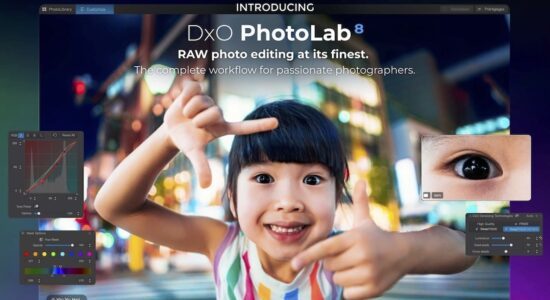
DxO released a new version of their winning photo editing software, PhotoLab 8, already available for purchase (trail version also available). It’s the software I use for my own photos.

Introducing DxO PhotoLab 8

“The noise reduction and detail extraction is like nothing you’ve seen before, and its refreshed tools and new features give photographers more precision than ever before.”  Jean-Marc Alexia VP of Product Strategy.

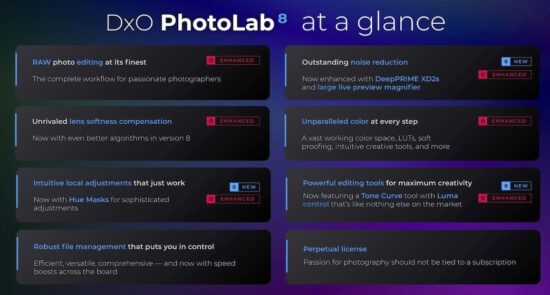
Now available in PhotoLab 8 is DeepPRIME XD2s the pinnacle of DxO’s Raw processing technology, giving unprecedented levels of noise reduction and detail extraction.

With PhotoLab 8, lens softness compensation has been enhanced via DxO’s Optics Modules which are mathematical models developed from observing the performance of each lens across the entire field of view and focal range. With DxO’s newly improved exclusive lens softness algorithms revealing detail without adding fringing artifacts in high-frequency areas, bringing new levels of lens performance to your images.

Image Preview has evolved within PhotoLab 8, you can now visualise the changes and effects you want in your images faster by using the new Loupe tool to see the effects applied by for example: DeepPRIME XD2s, Exposure, ClearView, Smart Lighting, Tone Curve, etc. This tool can be repositioned, enlarged and used at various resolutions, to visualise the changes the photographer is making.

Local Adjustments get a new Hue Mask tool giving even more options for making precise selections, using DxO’s unique U Point™ technology. Enabling photographers to select individual hues for targeted editing. 
DxO has further developed the Tone Curve palette, with the addition of some great new features.

Luma Curves, which enables photographers to neutrally adjust image tones while avoiding unexpected colour shifts when modifying brightness and contrast. With the new Tone Picker tool the photographer can now see where a tone value is on the Tone Curve, thereby enabling you to make precise image adjustments. 

The Histogram is now displayed in the Tone Curve Palette, photographers working in either R,G,B channels now get a visual guide with bi-colour tints and can now edit using numerical values to precisely dial in their adjustments, followed up with a new ability to save presets within the Tone Curve palette. 

The new Correction Rollover gives a live preview of effects when the cursor hovers over rendering settings (eg; Color Renderings, LUTs, Tone Curve Presets) making correction choices easier to see. 

Faster workflow, DxO has boosted the library performance, with browsing and image loading speeds noticeably faster.  

Compare mode has evolved enabling the photographer to set a reference image to then use as a reference point when processing multiple images. 

Canon Announces The RF 28-70mm F2.8 IS STM Lens (and a portable printer)

RF 28-70mm F2.8 IS STM

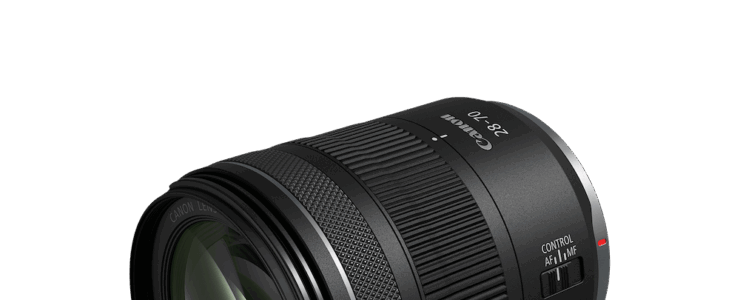
Canon announced a new lens today, and a new Selphy printer. The Canon RF 28-70mm F2.8 IS STM lens is available and scheduled to ship in September 2024, at estimated retail price of $1,099. The SELPHY QX20 is available and scheduled to ship in October 2024, at estimated retail price of $149.99.

RF 28-70mm F2.8 IS STM at a glance:

  • Full-Frame | f/2.8 to f/22
  • Compact & Fast Standard Zoom
  • Stepper Motor (STM) Autofocus
  • Optical Image Stabilizer
  • Collapsible Design
  • Customizable Control Ring
  • Two UD and Two Aspherical Elements
  • Super Spectra Coating (SSC)
  • Rounded 9-Blade Diaphragm

Pre-order the RF 28-70mm F2.8 IS STM at B&H Photo for $1,099.

Canon’s Latest Releases: Versatility with RF 28-70mm F2.8 IS STM Lens and Portable Printing with SELPHY QX20 Printer

MELVILLE, NY, September 12, 2024 – Canon U.S.A., Inc., a leader in digital imaging solutions, has announced the launch of two new products designed to enhance the creative possibilities for photographers, content creators, and everyday users through easily intuitive advanced features and flexibility: the RF 28-70mm F2.8 IS STM lens and SELPHY QX20 compact photo printer.

The RF 28-70mm F2.8 IS STM lens is Canon’s new standard zoom lens, primarily for full-frame camera users, offering a widely-adjustable focal range from 28mm to 70mm with a constant F2.8 aperture. It excels in capturing a diverse range of images, from portraits and events to landscapes and low-light scenes. The lens features optical image stabilization, which offers up to 5.5 stops with OIS and 7.5 stops with IBIS + OIS, enhancing image stability. Its lightweight design and high performance make it perfect for everyday use, traveling on the go and for capturing moments through photos and videos.

The SELPHY QX20 is Canon’s newest wireless compact photo printer, offering high-quality printing in a portable design. Ideal for smartphone users, it supports square-size format and Canon’s new card-size format paper, catering to various creative needs including memory keeping, scrapbooking and crafting. The built-in battery and durable seal paper (for prints that may last up to 100 years) make it a top choice for preserving special moments. Its borderless printing feature and dedicated app simplify the process, allowing users to create personalized prints effortlessly.

The RF 28-70mm F2.8 IS STM lens is compact and ready to take anywhere, offering a versatile tool that can easily transition from capturing videos of your life to storytelling landscapes. Meanwhile, with the SELPHY QX20 printer, Canon is pushing the boundaries of what a compact photo printer can do. The integration of card-size and square-format printing options, alongside the durability of seal paper, not only meets but redefines user expectations for on-the-go photo printing.

Today Only Deal: Datacolor Spyder X2 Photo Studio – $189.99 (reg. $399.99)

Datacolor Spyder X2

Only for today (9/9/2024) B&H Photo has a very good deal on the Datacolor Spyder X2 Photo Studio (display calibration).

At a glance:

  • Display Calibration System
  • Measures up to 2000 nits of Brightness
  • Precise Screen Color and White Balance
  • Lens-Based Color Engine Technology
  • Expanded Sensor Capability
  • Spyder X2 Ultra Colorimeter
  • Spyder LensCal Autofocus Calibration Aid
  • Spyder CUBE RAW Calibration Tool
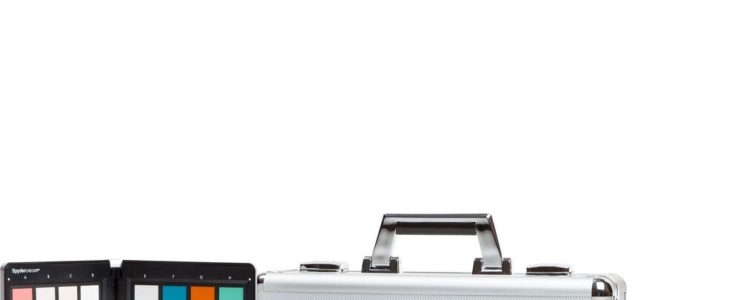
  • Spyder CHECKR Color Chart
  • Metal Transport Case

Get the Datacolor Spyder X2 Photo Studio on sale at $189.99. Compare at $399.99.

More selected deals:

Click here to open the rest of the article

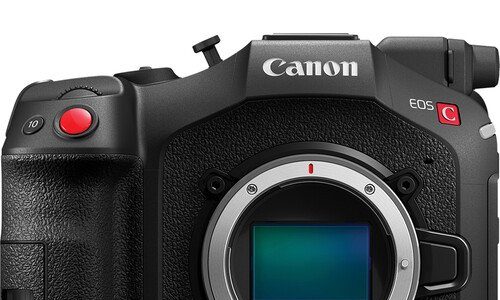
Here Is The Canon EOS C80, Officially Announced (6K, $5499)

canon eos c80

Canon announced the Canon EOS C80. The Canon Cinema EOS C80 Full-Frame camera is scheduled to be available in November 2024 for an estimated retail price of $5,499.

At a glance:

  • 6K FF Back-Illuminated CMOS Sensor
  • 6K30, DCI 4K/2K, UHD 4K120 S35 Recording
  • Full Frame and Super35 Modes
  • 12G-SDI and HDMI Simultaneous Output
  • Triple-Base ISO: 800, 3200, 12,800
  • Cinema Raw Light LT, HEVC, AVC Codecs
  • 16+ Stops of Total Dynamic Range
  • Dual-Pixel CMOS AF II, Built-In NDs
  • 1 x BNC Timecode, 2 x Mini-XLR Audio In
  • 2 x SD Card Slots, LUT/Long GOP Support

Pre-order at B&H Photo, starting at $5,499

Canon press release:

Canon Introduces the EOS C80 6K Full-Frame Cinema Camera

New EOS C80 RF-Mount Camera Features a 6K Full-Frame, Back-Illuminated Stacked CMOS Sensor, Triple-Base ISO, Dual Pixel CMOS AF II and 12G-SDI

MELVILLE, N.Y., September 9, 2024 – Canon U.S.A. Inc., a leader in digital imaging solutions, is pleased to announce the new EOS C80 cinema camera, with a native RF-mount and full-frame, back-illuminated stacked CMOS sensor, designed for filmmakers that require a full-featured camera in a compact body.

6K Full-Frame Back-Illuminated Stacked CMOS Sensor

The Canon EOS C80 camera features a 6K full-frame, back-illuminated CMOS sensor, with triple-base ISO, allowing the camera to deliver stunning imagery in a wide range of lighting conditions. The base ISOs of 800, 3200, and 12,800 maximize the full dynamic range of the camera.

The EOS C80 camera also features Canon’s latest Dual Pixel CMOS Autofocus, Dual Pixel AF II. The back-illuminated stacked sensor’s positioning offers superb light-capturing efficiency, which widens the area of the sensor that can be used for autofocusing. The sensor also empowers fast readout speed, as well as amazing 4K image quality from 6K oversampling.

12-G SDI and a Variety of Interfaces

In addition to moving to a full-frame sensor, the EOS C80 camera has also stepped up from its predecessor by adding 12G-SDI output, which enables uncompressed transfer of your video signal with a secure cable connection. The camera’s design includes a variety of other interfaces including HDMI, mini-XLR audio inputs, time code, built-in Wi-Fi® connectivity, and Ethernet. This internet connectivity enables the camera to be controlled remotely via our IP-based XC Protocol using Canon’s Remote Camera Control Application (available for free on the Canon USA Website), or our Multi-Camera Control App for iPhone (available for free on the App Store).

Compact Design

The compact and lightweight EOS C80 camera is suitable on a drone, gimbal, tripod, or in any configuration where compact size and light weight are important.

The camera is ergonomically designed with a new, lightweight handle assembly. The Multi-function Shoe is located just above the LCD screen and the joystick controller provides easy control and menu navigation.

Recording Options

The EOS C80 camera can record up to 6K 30P in Cinema RAW Light. Other recording options include our standard XF-AVC codec which can record in 10-bit 4:2:2 with oversampling from the 6K sensor, creating rich detail and smooth imagery without the need for cropping the image from the sensor. Furthermore, autofocus is enabled when recording in slow or fast motion at up to 4K 120P.

Additionally, the EOS C80 camera has two more recording codecs, XF-AVC S and XF-HEVC S. These formats were first introduced with the EOS C400 camera and feature an easy-to-manage naming system and folder structure, while recording in the familiar MP4 format and preserving metadata.