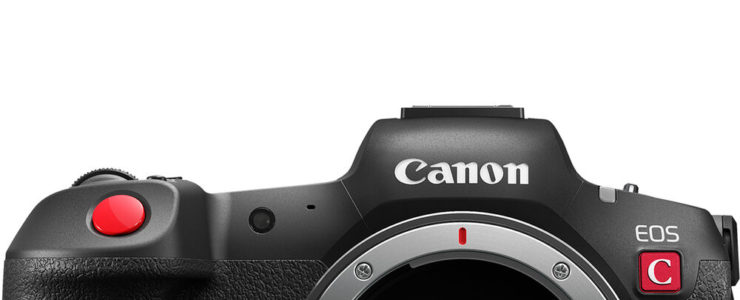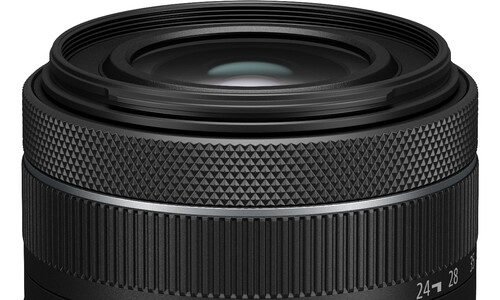
Canon EOS R7 Review (DPReview, 87% score, Silver Award)

canon eos r7 review canon firmware updates

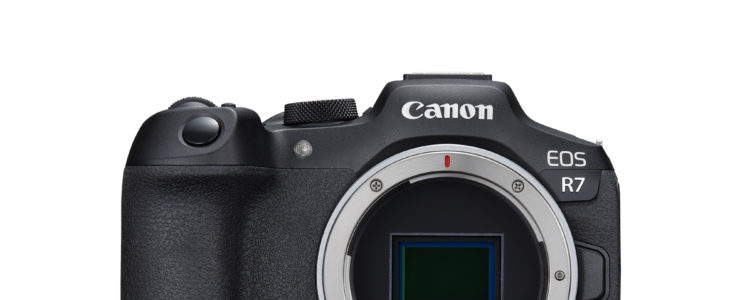
DPReview is still alive and kicking, despite greedy Amazon’s efforts to throw it away. And they just posted a Canon EOS R7 review.

EOS R7 at at glance ($1,399):

  • 32.5MP APS-C CMOS Sensor
  • Dual Pixel CMOS AF II
  • 4K60 10-Bit Video, HDR-PQ & C-Log 3
  • 30 fps E. Shutter, 15 fps Mech. Shutter
  • 2.36m-Dot OLED EVF
  • 1.6m-Dot Vari-Angle Touchscreen LCD
  • Sensor-Shift 5-Axis Image Stabilization
  • Dual UHS-II Memory Card Slots
  • Multi-Function Shoe, Wi-Fi and Bluetooth

DPReview posted a Canon EOS R7 review, and while it is not exhaustive like previous reviews, it sill delivers a lot of useful information. The gave the EOS R7 an 87% overall score and a Silver Award. From DPReview’s conclusion:

What we likeWhat we don’t
– Good APS-C image quality with attractive out-of-camera JPEGs
– 15 fps mechanical shutter with AF Deep buffer for burst shooting
– Reliable AF tracking during stills photography
– Subject-specific AF tracking modes
– Highly-detailed 4K video 10-bit video capture in C-Log or as out-of-camera HDR footage
– Effective in-body image stabilization for slow-motion stills and handheld video
– Solid build quality and handling with weather-sealing
– Familiar design for former DSLR users
– Twin card slots Decent battery life
– Lack of RF-S lenses at the moment
– AF joystick awkwardly recessed within rear command dial
– Rolling shutter effect in 4K footage
– AF tracking during video tends to drift in low light
– 2.36M-dot EVF is a bit underwhelming for the price
Read the review at DPReview…

Canon EOS R7 world wide: [shoplist 69416]

Click here to open the rest of the article

What’s Inside A Canon Lens? Here Is A Full RF 28mm f/2.8 STM Teardown

RF 28mm f/2.8

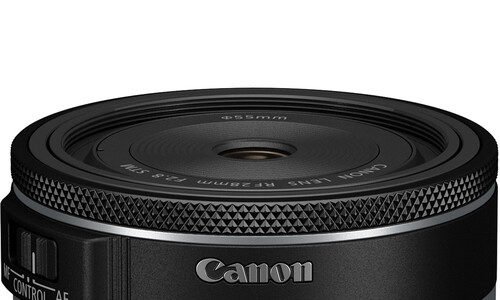
That’s a truly interesting video we are featuring here today. The teardown of the recently released Canon RF 28mm f/2.8 STM pancake lens.

RF 28mm f/2.8 STM at a glance ($299):

  • Full-Frame | f/2.8 to f/22
  • Classic Wide-Angle Prime
  • Gear-Type STM AF Motor
  • Super Spectra Coating
  • Three Aspherical Elements
  • Customizable Control Ring
  • AF/MF Control Switch
  • Full-Time Manual Focus Capability
  • Rounded 7-Blade Diaphragm

Gordon Laing got the unique chance by Canon itself to tear down their recently released RF 28mm f/2.8 STM lens. Says Mr. Laing:

Find out what’s inside one of Canon’s latest lenses in this teardown! In a rare behind the scenes opportunity, Canon invited me to film the disassembly of a brand new lens and explain what’s behind each of the major parts. If you’re interested in how lenses work and modern optical design, you’ll enjoy this video even if you own a different system! Filmed in 4k with a pair of Canon EOS R6 II bodies, fitted with RF 70-200 f4L and RF 100mm f2.8L Macro lenses.

And here is the teardown video.Enjoy.

Canon RF 28mm f/2.8 STM: [shoplist 71312]

We featured other lens and camera teardowns in the past, they are listed here.

Click here to open the rest of the article

Solid Savings On Rokinon Cine Lenses At Adorama

cinema lenses

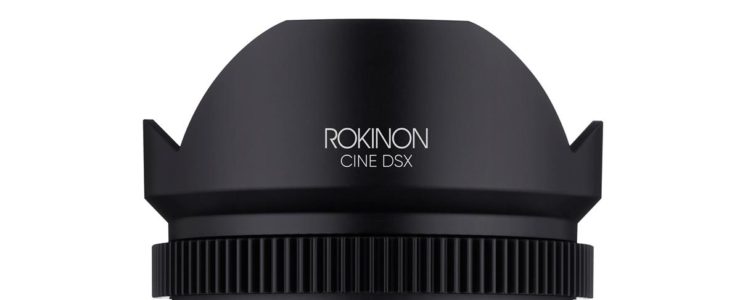
If you are looking for some specialized Cinema lenses, look no further. Adorama has solid discounts on a bunch of these lenses.

  • Rokinon XEEN 135mm T2.2 Pro Cine Lens for Canon EF – on sale at $1,795
  • Rokinon XEEN 16mm T2.6 Pro Cine Lens for Canon EF – on sale at $1,795 (reg. $1,995)
  • Rokinon 50mm T1.5 Cine DSX High-Speed Lens for Canon EF – on sale at $379.95 (reg. $599)
  • Rokinon 24mm T1.5 Cine DSX High-Speed Lens for Canon EF – on sale at $449.95 (reg. $749)
  • Rokinon 85mm T1.5 Cine DSX High-Speed Lens for Canon EF – on sale at $299.95 (reg. $449)
  • Rokinon 135mm T2.2 DSX Cine Lens for Canon EF – on sale at $449 (reg. $699)
  • Rokinon 14mm T3.1 Cine DSX Lens for Canon RF – on sale at $299 (reg. $499)

All discounted Rokinon lenses are listed here.

Canon Firmware Update For EOS R5 C (version 1.0.41)

canon eos r5 c

Canon released firmware update 1.0.41 for the Canon EOS R5 C.

A lot comes with this firmware update:

Firmware Version 1.0.4.1 incorporates the following enhancements:
1. The following features are enabled when the following lenses are attached: CN-E14-35mm T1.7 L S, CN-E20-50mm T2.4 L F, CN-E45-135mm T2.4 L F, CN8x15 IAS S/E1,:
- Displaying metadata, such as the model name and the focal distance of the lens attached.
- Displaying T number.
- Support for Peripheral Illumination Correction and Chromatic Lens Aberration Correction.
- Support for Dual Pixel CMOS AF autofocus(CN8x15 IAS S/E1 only)
- Support for [Dual Pixel Focus Guide]. 
2. The following features are enabled when the following lenses are attached: RF-S18-45mm F4.5-6.3 IS STM, RF-S18-150mm F3.5-6.3 IS STM:
- Adds a menu to switch lens functions. (Focus Ring, Control Ring, Lens Optical Image Stabilization)
3. Adds EF lenses compatible with EF-EOS R 0.71x Mount Adapter.
CN-E14mm T3.1 L F
CN-E20mm T1.5 L F
CN-E24mm T1.5 L F
CN-E35mm T1.5 L F
CN-E50mm T1.3 L F
CN-E85mm T1.3 L F
CN-E135mm T2.2 L F
EF14mm f/2.8L II USM
EF24mm f/1.4L II USM
EF35mm f/1.4L II USM
EF50mm f/1.2L USM
EF85mm f/1.2L II USM
EF135mm f/2L USM
4. Enables left/right switching with one touch when using Magnify. (When recording 8K RAW with VR lens attached.)
5. Enables magnify during 8K MP4 recording. (Not available when HDMI 4K is output.)
6. Improves switching time between Video/Photo mode. 
7. Adds Power Saving Mode.
8. Enhances Clear Scan resolution.
9. Adds Digital-Teleconverter function. (1.5x /2x /2.5x /3x)
10. Enables to change WFM size.
11. Enables to change Vector scope gain by touch.
12. Enables to change WFM/Vector scope opacity.
13. Improves AF performance.
- Enables tracking frame to change variably depending on subject.
- Enables to detect heads facing sideways or backwards, or in situations such as when wearing a helmet.
- Enables to select Face via control ring/dial. 
14. Adds [Subject Selection] assignable function via control ring/dial.
15. Adds [Canon 709 / BT.709] to the Gamma/Color Space in Custom Picture setting.
16. Adds [CMT 709] in Proxy Rec Color Conversion.
17. Adds [CMT 709] in View Assist.
18. Adds [G Gain] in White Balance in Custom Picture settings.
19. Adds support for 4CH display in audio meter.

Download Canon EOS R5 C firmware 1.0.41 here.

Canon RF 24-50mm f/4.5-6.3 IS Sample Pictures Gallery (DPReview)

RF 24-50mm

It appears DPReview is still alive and kicking, despite some recent news. Just a matter of time, I guess.

At a glance:

  • Full-Frame Lens
  • STM Stepping AF Motor
  • Optical Image Stabilizer
  • Focus Control Ring
  • Two Aspherical Elements
  • Super Spectra Coating
  • 7-Blade Diaphragm
  • Compact and Lightweight Design

DPReview posted a set of Canon RF 24-50mm f/4.5-6.3 IS sample pictures, all taken with a Canon EOS R7 and EOS R8. The images can be downloaded for your pixel peeping pleasure. The RF 24-50mm f/4.5-6.3 IS seems to be a rather interesting little lens.

Last Day To Save $40 On Topaz Photo AI, Get It At $159.

topaz photo ai

Last day to save $40 on Topaz Photo AI.

Get Topaz Photo AI for $159. Compare at $199. Remember: today (6/16/2023) is the last day.

More about Topaz Photo AI:

Topaz Photo AI will help photographers maximize image quality faster and more accurately than ever. It will automatically detect and fix some of the most common—and important—issues that could negatively impact the overall image quality of your photos right from within your existing post-processing workflow. Topaz Photo AI accomplishes this by pairing our extensively trained AI models and deep learning capabilities with a brand new Autopilot inspector.

In many cases, Topaz Photo AI can detect and address issues that your camera, or even your own eyes, could easily miss, such as soft-focus subjects and distracting luminance noise. Topaz Photo AI’s Autopilot will not only show you the issues it has detected, but it will also automatically apply the most appropriate types and strength of repairs to maximize detail, and clarity.

The problem with improving image quality so far.

Every photographer strives to improve the objective and creative image quality with their photos. And while we know that the creative side of post-processing is where you want to spend your time, it’s equally important to ensure that your photos don’t suffer from common issues that can take your viewer’s attention away from enjoying your work.

Until now, identifying and addressing those issues—such as excessive noise or soft focus—has been manual, slow, and error-prone. If you didn’t zoom in to 1000%, you might not have noticed that your subject is slightly out of focus or that there is noise throughout the image. And fixing those issues has been a manual effort that requires you to constantly compare the effects of sliders and models on an image-by-image basis, which takes time and energy away from the creative side of post-processing. It also often requires you to hop between several applications, create (and compare) multiple versioned files of the same photo, and hope that your slider and tool selections will deliver optimal results.

That’s where Topaz Photo AI comes in.

Now, it’s as simple as loading your images into Topaz Photo AI, and that’s it! You can be confident that the files you get back will be intelligently edited to the best starting place possible, allowing you to get to the creative editing process quicker, which is what all photographers look forward to in the first place!

What is the Topaz Photo AI Autopilot?

Until now, we’ve offered three individual applications to address different image quality issues: DeNoise AI for removing noise, Sharpen AI for de-blurring soft-focus images, and Gigapixel AI for upscaling low-resolution images. While each of these apps provides remarkable results within their unique purviews, the reality is that any single image could suffer from multiple image quality issues. You may also not be completely sure which of our applications would serve you best as you try to remedy those image quality issues. After all, Sharpen AI does have some noise reduction capabilities, and DeNoise AI has some sharpening capabilities. And supporting multiple AI models in our applications makes things even more complicated, requiring you to run through different models in different applications to come up with the best results.

Wouldn’t it be outstanding if you had an intelligent system that can detect specific problems within your image and use the right tools to solve them? In Photo AI, we want to make the entire process of identifying those core image quality issues and applying the most appropriate remedies automatic and transparent. That is what we set out to build for Topaz Photo AI, and we call it “Autopilot.”