You can test Canon cameras and lenses in a virtual reality simulator

sim

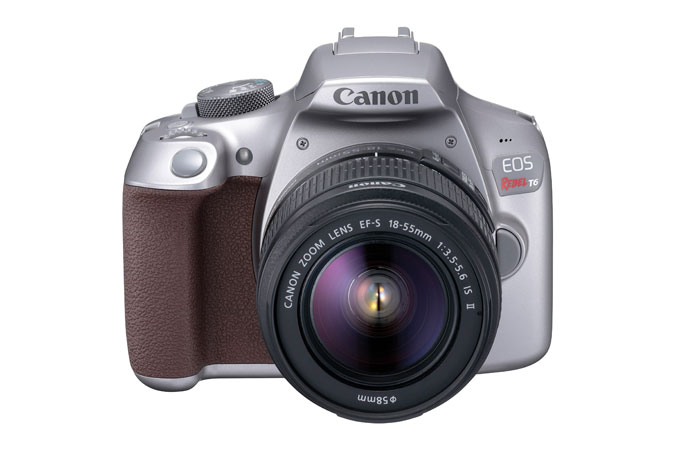
Do yo own an Oculis Rift? If you do, you can play around with a simulator app made by Canon, named “Camera Simulator by Canon Labs”.

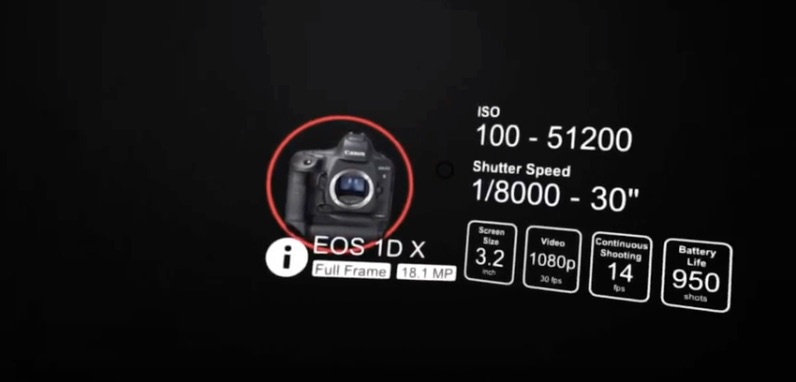
You have the choice between three lenses and three cameras, and you can set all exposure and composition controls

Capture high-quality photos in a stunning virtual environment using authentic Canon cameras and lenses. Adjust manual settings like a pro to take the perfect picture. Choose from a combination of three cameras and lenses, each with their own specifications and features. Teleport to multiple vantage points and frame your perfect shot by leaning, ducking, and adjusting the zoom level of your camera. Stretch your creativity by adjusting the three corners of the exposure triangle; ISO, Shutter Speed and Aperture. View your photos in full resolution on your desktop with the properly simulated exposure, motion blur, and depth of field.

The whole thing is very easy to understand and to play with The video below gives an overview.

Happy virtual shooting!

[via PetaPixel]

Canon Announces Firmware Updates for the EOS C300 and EOS C300 Mark II Digital Cinema Cameras at NAB Show New York 2016

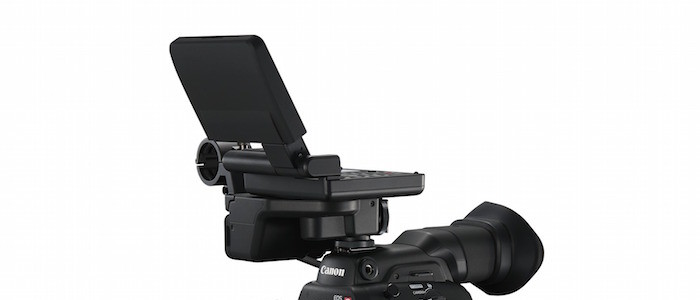
Canon cinema EOS C300 Mark III

To learn more about the firmware updates, please visit usa.canon.com/nabny2016firmware.

Canon press release:

MELVILLE, N.Y., November 9, 2016 – Canon U.S.A., Inc., a leader in digital imaging solutions, today announced firmware updates for both the Canon EOS C300 and EOS C300 Mark II Digital Cinema Cameras being showcased at NAB Show New York 2016, November 9 and 10 at the Jacob K. Javits Center in New York City. These firmware updates support a number of feature updates for users including improvement of accessory support, ease of use, Dual Pixel CMOS AF (DAF) and creative flexibility.

Firmware updates are as follows:

  • The EOS C300 Mark II Digital Cinema Camera (EF-Mount) updates will allow various functions such as support for the Canon EVF-V70 OLED Electronic Viewfinder, WFT-E8 Wireless File Transmitter, Shutter Angle Priority, support for Zebra range at 65 percent or below, 2K Crop Audio Recording, Built-In Mic Audio off, and Peripheral Illumination Correction when using the new EF 24-105mm f/4L IS II USM lens.
  • The EOS C300 Mark II Digital Cinema Camera (PL-Mount) updates will allow various functions such as support for the Canon EVF-V70 OLED Electronic Viewfinder, WFT-E8 Wireless File Transmitter, Shutter Angle Priority, support for Zebra range at 65 percent or below, 2K Crop Audio Recording, and Built-In Mic Audio off.
  • The EOS C300 Digital Cinema Camera (EF-Mount) updates will allow various functions such as support for the WFT-E8 Wireless File Transmitter, Shutter Angle Priority, Grip Zoom Function when using CINE-SERVO 17-120mm EF-mount, CINE-SERVO 50-1000mm EF-Mount and COMPACT SERVO 18-80mm lenses, Auto Iris and Push Iris when using CINE-SERVO 17-120mm EF-mount, CINE-SERVO 50-1000mm EF-Mount and COMPACT SERVO 18-80mm lenses and Peripheral Illumination Correction when using the new EF 24-105mm f/4L IS II USM lens.
  • The EOS C300 Digital Cinema Camera DAF (EF-Mount) updates will allow various functions such as support for the WFT-E8 Wireless File Transmitter, Shutter Angle Priority, Dual Pixel CMOS AF (DAF) when using CINE-SERVO 17-120mm EF-Mount and COMPACT SERVO 18-80mm lenses, Grip Zoom Function when using CINE-SERVO 17-120mm EF-mount, CINE-SERVO 50-1000mm EF-Mount and COMPACT SERVO 18-80mm lenses, Auto Iris and Push Iris when using CINE-SERVO 17-120mm EF-mount, CINE-SERVO 50-1000mm EF-Mount and COMPACT SERVO 18-80mm lenses and Peripheral Illumination Correction when using the new EF 24-105mm f/4L IS II USM lens.
  • The EOS C300 Digital Cinema Camera (PL-Mount) updates will allow various functions such as support for the WFT-E8 Wireless File Transmitter and Shutter Angle Priority.

To learn more about the firmware updates, please visit usa.canon.com/nabny2016firmware.

These firmware updates are scheduled to be available on December 13, 2016. To see these products with the firmware updates mentioned above at NAB Show New York 2016, visit Canon U.S.A., Inc. at Booth #1133. Follow Canon throughout the show on Instagram at @CanonUSA and Twitter at @CanonUSApro.

Click here to open the rest of the article

First Magic Lantern hack on the Canon EOS 5D Mark IV is working

Magic Lantern

This new is 10 days old but I totally missed it. Thanks to Lawrence for pointing me to it.

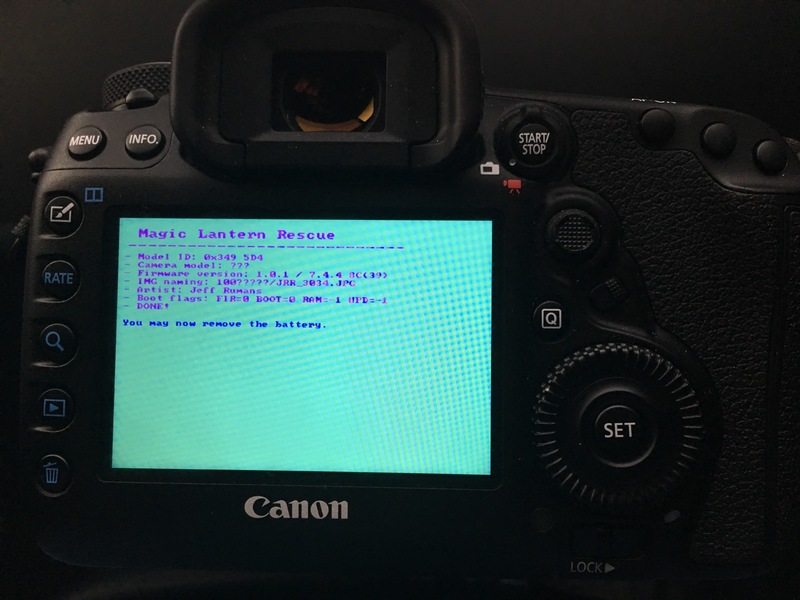
The skilled hackers over at Magic Lantern managed to make a first bit of their code work on the new Canon [shoplink 40051]EOS 5D Mark IV[/shoplink]. Unless some sites are reporting, this does not mean we are even close to a working release of Magic Lantern for the EOS 5D Mark IV. However, it is a first step in the right direction, and it will take a long time until a fully working version of ML for 5D4.

If you want to try Magic Lantern on your Canon DSLR, a good place to start is here. The video below gives you an overview about Magic Lantern.


Do you have the sensor banding issue on your Canon EOS 5D Mark IV?

eos 5d mark iv
Weird banding issues on the EOS 5D Mark IV experienced by some users.

It seems some users are experiencing a weird sensor issue with their Canon EOS 5D Mark IV.

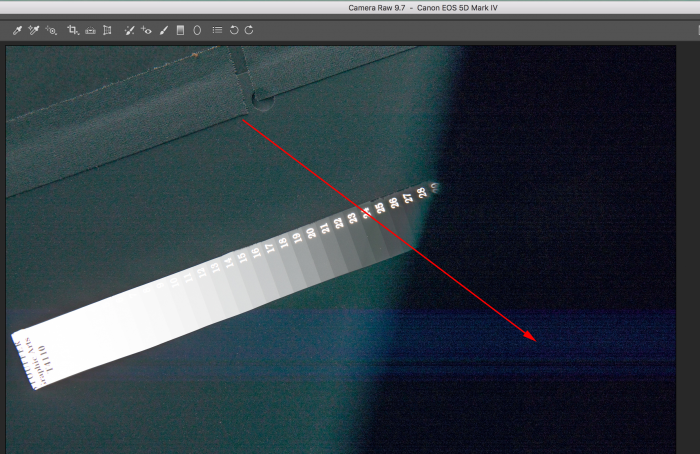
The issue was first discovered by Michael Andrew. He noticed sort of ghosting artefacts across the frame while doing some dynamic range tests. You can see the artefact in the image above. It is a horizontal banding going across the entire frame.

He discovered the following:

  • The defect doesn’t happen on a 5D3, A7rii, Nikon D500 or Fuji XT-2 under the same conditions.
  • It only happens on the very far left 1/3 of the frame when over-exposing a certain amount of it, about 1/4-1/3 of the frame, and it typically needs to start on the very far left side, and extend minimum about 1/4 into the frame. Overexposing in the center, the right, or smaller portions of the left side have no effect and seem normal.
  • The defect is strictly horizontal, even when the over exposure is oriented diagonally.
  • The defect is not visible until raising the shadows. You won’t see it until then.

For the time being it is unclear how many Canon EOS 5D Mark IV models are affected by this issue. If you want to check yours, proceed as follows:

  1. Use your hand or a piece of cardboard to over-expose in the left 1/3 part of the frame shooting RAW
  2. Bring the file into Camera RAW
  3. Bump up the exposure +1 or more (this makes it easier to see)
  4. Raise shadows. It will look like the images below if you have it:

The video below introduces you to the issue and how to test for the thing. More information and pictures of the phenomenon can be found on Michael’s site.

Canon EOS 5D Mark IV at a glance:

At a glance:

  • 30.4MP Full-Frame CMOS Sensor
  • DIGIC 6+ Image Processor
  • 3.2″ 1.62m-Dot Touchscreen LCD Monitor
  • DCI 4K Video at 30 fps; 8.8MP Still Grab
  • 61-Point High Density Reticular AF
  • Native ISO 32000, Expanded to ISO 102400
  • Dual Pixel RAW; AF Area Select Button
  • Dual Pixel CMOS AF and Movie Servo AF
  • 7 fps Shooting; CF & SD Card Slots
  • Built-In GPS and Wi-Fi with NFC

Canon EOS 5D Mark IV: [shopcountry 40051]

A Bit of Everything (EOS 5D Mark IV, G7 X Mark II, EF-S 18-135mm f/3.5-5.6 IS USM)

Above: The Calling 4KCanonUSA

Cinematographer Russell Carpenter, ASC and Canon Explorer Of Light Tyler Stableford team up for the first U.S. based EOS C700 shoot which shows off the versatility and low light capabilities of Canon’s new EOS C700.


Above: Mount a Canon 5D Mark III to a custom drone and capture the beauty of nature – Fotostacja

Photographer Miron Bogacki mounted a Canon EOS 5D Mark III to a custom-built octocopter and flew the drone over Northern Poland in the Valley of Drwęca.


Today’s Gold Box and one day only deals at Amazon US, Amazon DE, Amazon UK, B&H Photo, eBay and Adorama

Canon EF-S 18-135mm f/3.5-5.6 IS USM Review – ephotozine

Although lacking in some areas of the performance, this lens is actually a lot of fun to use. The results are bright and crisp at wide to mid apertures, although admittedly falling off quite dramatically at longer lengths and smaller apertures.

It is a great travel lens and has the benefit of the add-on Power Zoom Adapter, which may well be an exciting development for videographers.

Nauticam Announces Housing for Canon EOS 5D Mark IV – Dive Photo Guide

Review of the Canon G7 X Mark II in Fantasea Housing – Dive Photo Guide

New Rebel DSLR Coming for CES in January [CR2] – Canon Rumors

Canon 5D Mark IV Field Test Part I: A wealth of useful upgrades in a familiar shell – Imaging Resource


Below: Mount Tamalpais Fog – A 4K Timelapse – Danny MacRostie

My obsession with chasing the fog on Mount Tamalpais over the last 18 months comes together in this 90 second timelapse video. One and half years of foggy sunrises and sunsets just north of San Francisco, CA. When the conditions were right, I would be up and out the door by 4:00 in the morning to make the 45-minute drive and 30-minute hike up Mt. Tam to be setup for the sunrise. In the evenings I would race home from work, grab my gear, and head back out, often running down the trail with a backpack full of gear to be just in time for sunset.

Gear used:
Canon DSLR’s (5DMkIII and 7D), Canon lenses (16-35, 28-135, 70-200), Vanguard tripod. Custom build PC, Lightroom CC, After Effects CC and Premiere CC.