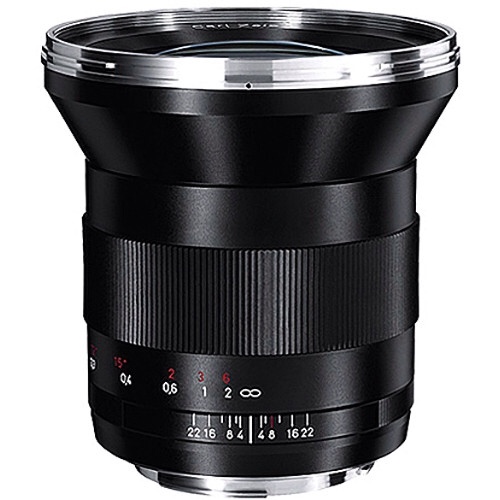
Zeiss Distagon T* f/2.8 21mm ZE Lens Reviewed By The Phoblographer

The Pholographer reviewed Zeiss Distagon T* f/2.8 21mm ZE, a lens with outstanding optical properties, anda great lens for street photographers. The price tag? Well it’s a hefty $1843, but then: it’s a Zeiss glass, you pay and get a glass that’s among the best. An [shoplink 254]EOS 5D Mark II[/shoplink. Was used for testing. They describe the lens as «luxurious, sharp, and clinical». There are many sample images to check. From the conclusion:

Zeiss’s 21mm f2.8 is quite an excellent lens, but with that said we’re not sure who exactly this lens would be for. Though Street Photographers would love this lens, many of them these days opt for rangefinders or mirrorless cameras due to the small size and awesome optics designed for them. Documentary photographers that like to go slow and take their time with the process may want to spring for this lens. Additionally, landscape photographers may also want to try this lens.

Despite the high price tag, the lens earned excellent marks for sharpness, image quality, color rendition, contrast, and build quality. There really is nothing to fault with this lens except the high price tag.But even then, it really is an awesome optic.

[via The Phoblographer]


Amazing Fashion Shots Made With A Canon EOS M (Readers Work)

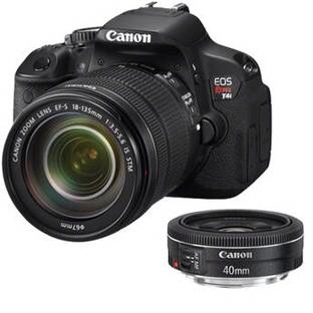
I am proud to feature a fashion shot made by our reader Chris McDuffie using a [shoplink 6091]Canon EOS M[/shoplink]. Despite the sluggish AF, the EOS M is a versatile camera and, as you can see, delivers outstanding image quality.

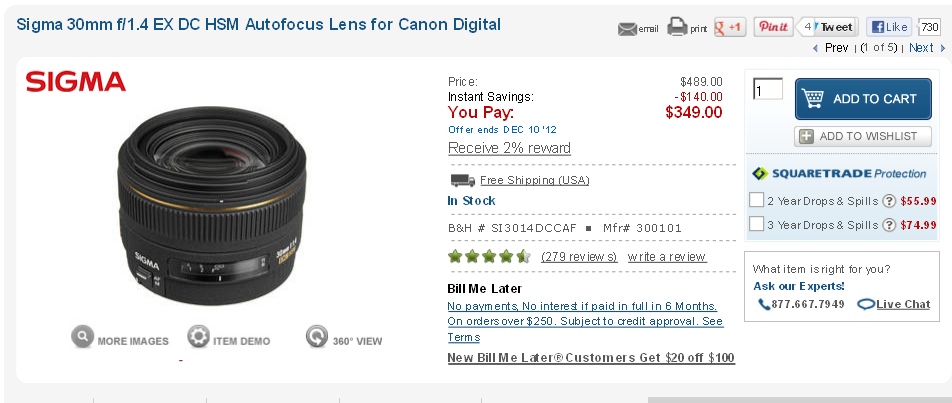
The title of the shot is “The Fifth Element”, it takes inspiration form sci-fi movies and high fashion. Chris used the following lenses for the shot:

  • [shoplink 6093]EF-M 22mm f/2 STM[/shoplink]
  • Sigma 30mm f/1.4
  • [shoplink 5686]EF 40mm f/2.8 STM[/shoplink]
  • [shoplink 133]Canon 85mm f/1.8[/shoplink]

All pictures are copyrighted by Chris McDuffie Photography. See more of his work at www.chrismcduffiephoto.com

If you want to share your pics and work here on canonwatch.com, then feel free to contact me. I am using the EOS M while abroad in Myanmar (former Burma). If you want to see my travel pics then click here.


Canon Set To Release An EF 800 f/5.6L IS II Lens In 2013?

Canon Rumors has been told that Canon could release a new 800mm in 2013. The EF 800 f/5.6L IS II lens could have a newly developed 6 stops image stabilization system. The weight is said to be less than the [shoplink 106]EF 600 f/4L IS II[/shoplink]

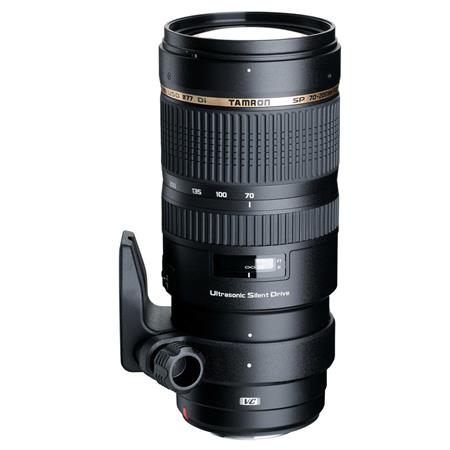
Moreover, there are rumors about new supertelephoto zooms and 400mm primes. No timetable or schedule was suggested.

Finally the 1.4 teleconverter sported on the EF 200-400 f/4L IS 1.4x is said to get featured on more lenses in the future, at least the technology appears to be tested on other lenses.

[via CR]


Weird issue on the new 6D: Videos will not play on youtube!

Canon Japan just released a somewhat surprising statement. Videos shot on the new 6D and uploaded on youtube will simply not play!!! While they are working on a fix they also explain how to get around the issue

  1. Download 6D video files on your computer.
  2. Start ImageBrowser EX.
  3. Select the video you want to upload, and click “Edit Video” from the “Edit” tab at the top of the screen of EX prgram.
  4. “MoiveEdit Task” will start, click the “Save” button.
  5. Upload to youtube

That’s it!

Canon EOS 6D Service Notice (Movie Files Will Not Playback On Youtube)

Canon EOS 6D Product Advisory:

Thank you for using Canon products.

Phenomenon

We have identified a phenomenon which prevents movie files shot using Canon EOS 6D Digital SLR cameras from being played back on YouTube.

Affected Product

EOS 6D Digital SLR Camera

Support

While we continue to investigate this phenomenon, please follow the instructions outlined below to upload Canon EOS 6D movie files to YouTube. After our investigation is complete, we will make an update to this announcement.

1. Download the movie file(s) from the EOS 6D camera to your computer.

2. Start ImageBrowser EX, an application bundled with the EOS 6D.

3. After selecting the movie file(s) to be uploaded, select [Edit Movies] in the [Edit] tab from the menu bar of ImageBrowser EX.

4. “MovieEdit Task” will start. Save the movie using the [Save] menu on the screen.

5. Upload the saved movie to YouTube.

This information is for residents of the United States and Puerto Rico only. If you do not reside in the USA or Puerto Rico, please contact the Canon Customer Support Center in your region.

Please register the EOS 6D. By registering, we will be able to notify you via email when service updates are available.

Thank you,

Customer Support Operations

Canon U.S.A., Inc

Contact Information for Inquiries

Canon Customer Support Center

Phone: 1-800-OK-CANON

1-800-652-2666

TDD: 1-866-251-3752

Email: [email protected]

For additional support options: www.usa.canon.com/support