Canon Professional Technology and Support Center Relocating To Burbank, California

canon rumors

Canon press release:

Canon Professional Technology & Support Center Relocating To Burbank, Calif.

MELVILLE, N.Y., June 28, 2016 – Canon U.S.A., Inc., a leader in digital imaging solutions, today announced that the Canon Hollywood Professional Technology & Support Center currently located at 6060 Sunset Boulevard, Hollywood, Calif., will be relocating to 3400 West Olive Ave., Burbank, Calif.

In this new central location, Canon will greatly enhance its already award-winning service and support to further assist the growing number of professional filmmakers and broadcast production clients in Southern California. The Burbank facility will also serve as a hub for product training, educational events, expedited repairs and hands-on technical support for Canon’s business partners, rental houses and professional clients.

Click here to open the rest of the article

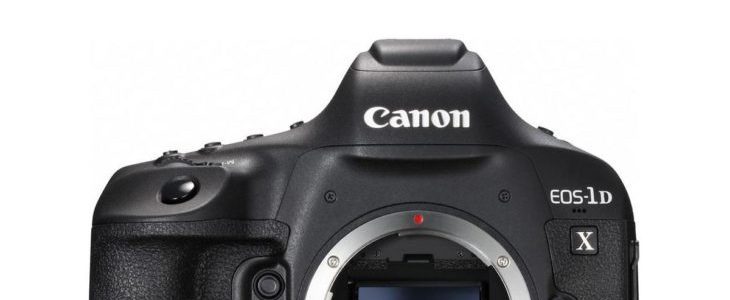
Canon Advisory: EOS-1D X Mark II image corruption with some SanDisk CFast cards, firmware update may come in July

canon eos-1d x mark ii

Canon released a product advisory concerning image corruption occurring when using certain SanDisk CFast with the Canon [shoplink 37157]EOS-1D X Mark II[/shoplink]. Canon states that it “has been confirmed that this phenomenon is caused by SanDisk CFast cards“. Never the less, Canon “is considering releasing camera firmware on the Web for a download service in early July“.

Service Notice: EOS-1D X Mark II: image corruption with some SanDisk CFast cards

Thank you for using Canon products.
It has been confirmed that when shooting still images with the EOS-1D X Mark II digital SLR camera launched in April 2016 with SanDisk CFast cards, the following phenomenon will occur.

We would like to offer our sincere apologies to users who have been inconvenienced by this issue.

Phenomenon
If a SanDisk CFast card is inserted into the camera or a card reader, the bottom part of still images recorded may be corrupted.
This phenomenon is confirmed in images recorded in both the RAW and JPEG formats.
In the RAW file, the image corruption may appear in the bottom right corner of the image.
In the JPEG file, the image corruption may appear in the lower third area of the image.

Please Note:
Movie recording is not affected by this phenomenon.
Still images or movies recorded to CF cards are not affected by this phenomenon.

Cause

This phenomenon is caused by SanDisk CFast cards. The camera does not cause this phenomenon.

Affected Products

SanDisk CFast cards.

Image corruption may be experienced with the cards listed below:
The “xxx” at the end of the product number varies depending on the sales region.
SanDisk Extreme PRO CFast2.0 64GB (SDCFSP-064G-xxx)
SanDisk Extreme PRO CFast2.0 128GB (SDCFSP-128G-xxx)
SanDisk Extreme PRO CFast2.0 64GB (SDCFSP-064G-xxxA)
SanDisk Extreme PRO CFast2.0 128GB (SDCFSP-128G-xxxA)
SanDisk Extreme PRO CFast2.0 64GB (SDCFSP-064G-xxxB)
SanDisk Extreme PRO CFast2.0 128GB (SDCFSP-128G-xxxB)

Market Support

Although it has been confirmed that this phenomenon is caused by SanDisk CFast cards, to prevent the occurrence of this phenomenon, Canon is considering releasing camera firmware on the Web for a download service in early July.
We would like to apologize for the inconvenience, but we would like to ask our customers to refrain from using SanDisk CFast cards when shooting still images until the new camera firmware becomes available.

Workaround

It is our understanding that image files of 16MB or larger recorded immediately before the camera’s power is turned off may become corrupted. Below are  the methods available to help avoid image corruption when powering off the camera:

The Camera can be powered off in four ways:

  1. When the power switch is set to OFF
  2. When the card slot cover is opened
  3. When the power is turned off due to the Auto Power Off setting
  4. When the battery is removed

 The phenomenon can be prevented by performing the procedure below:

Before powering the camera off, please take extra shots*1 because the extra shots taken immediately before the camera is powered off may experience the corruption and not the images taken before the extra shots were taken.

*1 The table below shows the most popular file types used and how many extra shots are recommended.

File Size (Approx.) How many extra shots do I need to take

in order to meet the 16MB or larger requirement?

<RAW> 23.2MB 1
<JPEG> L:6.2MB 3
<JPEG> M1:4.3MB 4
<JPEG> M2:3.4MB 5
<JPEG> S:2.2MB 8

Thank you,
Customer Support Operations
Canon U.S.A., Inc.

Contact Information for Inquiries
Canon Customer Support Center
Phone: 1-800-OK-CANON
1-800-652-2666
TDD: 1-866-251-3752
Email: [email protected] 
For additional support options:  www.usa.canon.com/support

Canon EOS 6D Mark II to feature a 28MP sensor? :: With Poll [CW2]

eos 6d

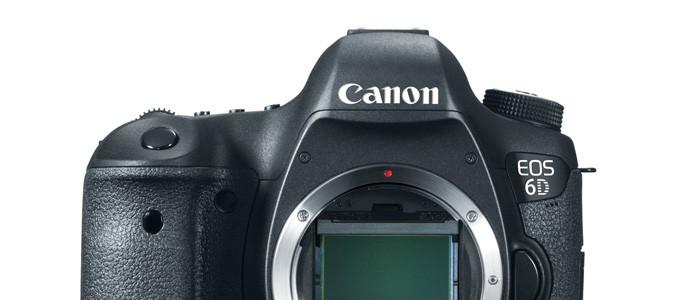
I got a new suggestion (thanks) saying the Canon EOS 6D Mark II will feature a 28MP sensor.

Previous rumors mostly pointed to a 24MP sensor. However, since EOS 6D Mark II rumors started coming in, it always has been said the EOS 6D Mark II would have it’s own sensor, and not just the same sensor featured on the upcoming EOS 5D Mark IV (rumored to have a 24MP sensor, and to be announced in August).

I reccomend a big grain of salt here. While it is possible that the entry-level EOS 6D Mark II will have a higher resolution than the pro-oriented EOS 5D Mark IV, it’s still unlikely in my opinion. However, so far the EOS 5D Mark IV’s 24MP resolution is a matter of speculation, no reliable rumors have emerged for the time being. Anything is possible.

The Canon EOS 6D Mark II is expected to be announced in 2017. It’s early for reliable specs. Stay tuned.

EOS 6D Mark II's sensor resolution, what do you think?

  • 24MP (40%, 330 Votes)
  • 28MP (35%, 290 Votes)
  • More than 28MP (14%, 119 Votes)
  • Less than 24MP (10%, 83 Votes)

Total Voters: 822

Loading ... Loading ...

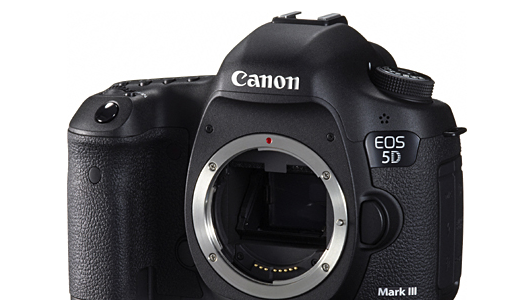
Still Live: Canon EOS 5D Mark III deal at $1,899 (reg. $2,599)

eos 5d mark iii

Canon EOS 5D Mark III at a glance:

  • 22.3 MP Full-Frame CMOS Sensor
  • DIGIC 5+ Image Processor
  • 3.2″ 1.04m-Dot ClearView II LCD Monitor
  • Full HD 1080p Video Recording at 30 fps
  • 61-Point High Density Reticular AF
  • Native ISO 25600, Extended to ISO 102400
  • 6 fps Shooting in RAW+JPEG
  • 63-Zone Dual Layer Metering Sensor
  • Magnesium Alloy Body, SD/CF Card Slots

This top deal is still live, or live again. Top Rated Plus seller ElectronicsValley on eBay (99.6% positive ratings) has the Canon EOS 5D Mark III on sale at $1,899. Compare at $2.599. Free shipping. Please note: this is an import model with 1 year seller warranty.

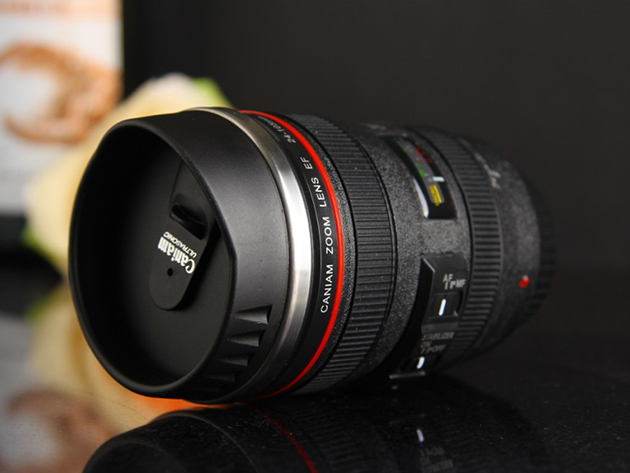
This Canon lens mug stirs your coffee for you

ef 24-105mm
Self-stirring lens mug

Lens mugs are nothing new and can be bought for a few dollars. However, this Canon 24-105mm F4 lens mug adds something new to the game: it stirs your drinks, as you can see in the video below. It’s surprising how much the lens mug looks like the original [shoplink 230]EF 24-105mm F4L IS[/shoplink] lens.

The self-stirring EF 24-105mm F4L IS lens mug is available for around $13 at Amazon.

[via PetaPixel]

Canon’s Picture Styles explained (video)

Canon Picture Styles, available in almost all Canon cameras, are a cool way to shot a JPG the way you intend, without the hassle of post-production. Above you can watch a short introduction video. To use Picture Styles you need Canon Picture Style Editor and Canon EOS Remote Utility (here an easy to grasp tutorial for both). Both software come with your Canon camera or an be downloaded on Canon’s support pages.