Canon Rules The Astrophotography Universe (pun intended)
astrophotography

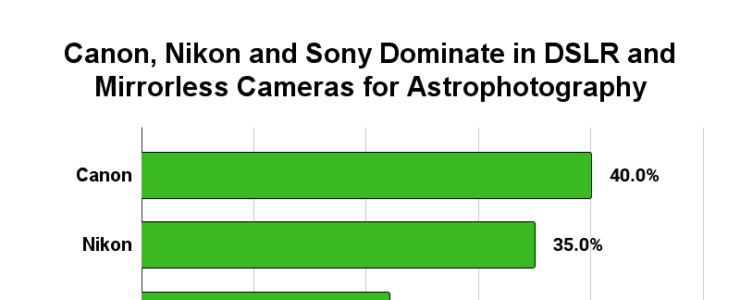
Yes they do: Canon is the most used camera gear in astrophotography (see image on top). That’s what came out from a recent research.

The folks at Skies & Scopes analyzed 828 images listed for the Astronomy Photographer of the Year competition in the past six years to learn what equipment was used:

  • 315 Landscape Astrophotography images (including aurora)
  • 284 Deep Sky images (galaxies, nebulae, etc)
  • 229 Planetary images (including solar and lunar)

Here is a short list of their findings:

  • The trend towards mirrorless camera use increases every year – 58% Mirrorless vs 42% DSLR in 2023
  • Full-frame sensor DSLR and mirrorless models are overwhelmingly favored – 87% full-frame vs 13% APS-C
  • The most successful models are:
    • Canon EOS 6D
    • Canon EOS 5D Mark IV
    • Nikon D850
    • Nikon D750
    • Nikon D810A
    • Nikon Z6 II
    • Sony A7 III
    • Sony A7R III
  • Camera Lenses
    • Sigma is the top lens maker
    • 14mm f/2.8 and 14mm f/1.8 lenses are the most used for landscape astrophotography

Get the story and more information at Skies & Scopes.
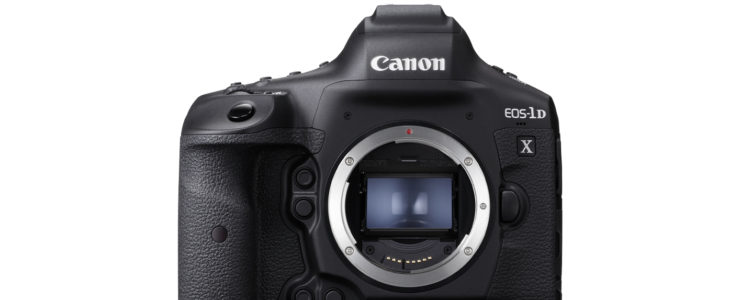
Canon EOS-1D X Mark III Firmware Update Released (version 1.8.0)

Canon EOS-1D X Mark III manual

Canon released a firmware update for the venerable Canon EOS-1D X Mark III.

Canon EOS-1D X Mark III firmware update 1.8.0 delivers:

  1. Adds the ability to register the focus position in the preset functions of the CR-A100 Camera Remote Application.
    When used with the Robotic Camera System CR-S700R, it helps the user to focus on the intended subject distance when shooting.
  2. Adds the ability to erase voice memos added to images and to add voice memos to protected images.
  3. Adds enhanced security when transferring images via FTPS transfer.
  4. Fixes minor issues.

Canon EOS-1D X Mark III firmware 1.8.0 download at Canon Europe.

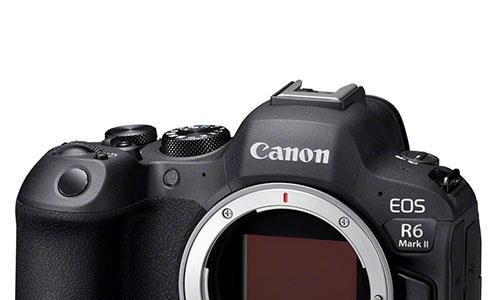
Canon EOS R6 Mark II Firmware Update Released (version 1.2.0)

canon EOS R6 Mark II review

Canon released a firmware update for the Canon EOS R6 Mark II, version 1.2.0.

Canon EOS R6 Mark II firmware update 1.2.0 brings:

  1. Adds support for the RF5.2mm F2.8 L Dual Fisheye lens.
  2. Adds enhanced security when transferring images via FTPS transfer.
  3. Adds support for the Software Development Assistance Kit (EDSDK/CCAPI).
  4. Fixes minor issues.

Canon EOS R6 Mark II firmware version 1.2.0 download at Canon Europe.

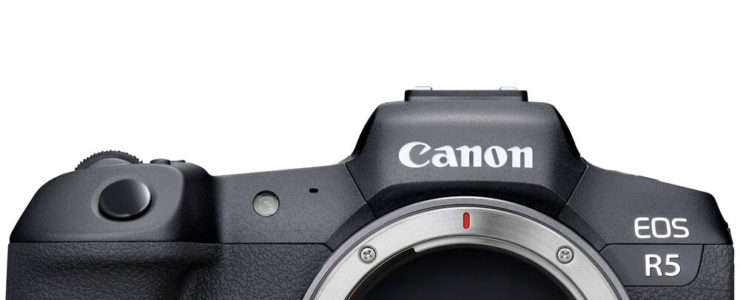
Canon EOS R5 Firmware Update Released (version 1.9.0)

eos r5 8k video

Canon released a firmware update for the Canon EOS R5, version 1.9.0.

Canon EOS R5 firmware version 1.9.0 brings:

  1. It is now possible to delete only the voice memo attached to an image. It is also now possible to add or add voice memos to protected images.
  2. We have strengthened the security when sending captured images using FTPS transfer.
  3. Added support for the software development support kit (EDSDK/CCAPI) for digital cameras.
  4. Fixed an issue where, in rare cases, camera operations would become ineffective after touch operations, and [BUSY] would be displayed even when the camera was operated.
  5. Fixed minor bugs.

Canon EOS R5 firmware version 1.9.0 download at Canon Japan.

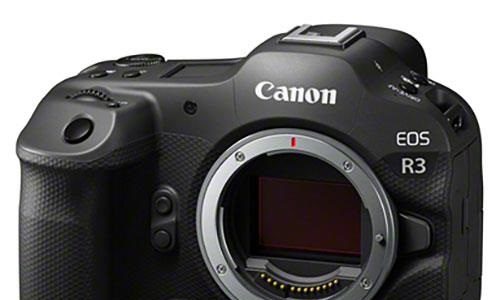
Canon EOS R3 Firmware Update Released (version 1.5.1)

canon eos r3 sensor

Canon release a firmware update for the Canon EOS R3.

Canon EOS R3 firmware version 1.5.1 brings:

  1. Adds the ability to register the focus position in the preset functions of the CR-A100 Camera Remote Application.
    When used with the Robotic Camera System CR-S700R, it helps the user to focus on the intended subject distance when shooting.
  2. Adds the ability to erase voice memos added to images and to add voice memos to protected images.
  3. Adds the ability to check the time in the viewfinder by pressing the Exposure Compensation/Aperture button while looking through the viewfinder.  
  4. Adds enhanced security when transferring images via FTPS transfer.
  5. Fixes an issue, in which, after touchscreen operation, in rare circumstances, the camera operations cannot be performed, and even if the camera is operated, [BUSY] appears on the screen.
  6. Fixes an issue that, in rare instances, may result in the camera may not operating normally and having no viewfinder or screen display depending on the timing of operating the button and viewfinder activation sensor.
  7. Fixes minor issues.

More information and download at Canon Europe.