Camera Market “has largely bottomed out”, Canon says

canon eos r6 mark iii firmware updates viltrox eos r7 eos r10 reuters canon cameras europe canon eos r1 eos r rf 14-35mm Olympic Games ef-mount rudy winston

In their recent Q2 2022 financial results, Canon added a Q&A file to the documentation. Some interesting insights can be found.

From Canon’s Q2 2022 Q&A (emphasis mine):

Q1. What is your outlook for the external environment in 2023 and the sustainability of your growth going forward?

A1. Even if production around the world recovers smoothly, it will probably take around a year for the inflation caused by the shortage of goods, which arose from supply-chain disruptions etc., to subside naturally. We expect to continue growing as we have transformed our business portfolio and will actively invest to further enhance our products

[…]

Q5. What is your outlook for the camera market going forward? Additionally, will you continue to offer both Mirrorless and DSLR cameras?

A5. The camera market has largely bottomed out at its current size. Going forward, we expect the professional and advanced amateur segment to expand further and that products will become more highly developed. Accordingly, we expect the overall market to grow from now on. As for DSLR cameras, we will continue to supply products as long as there is demand

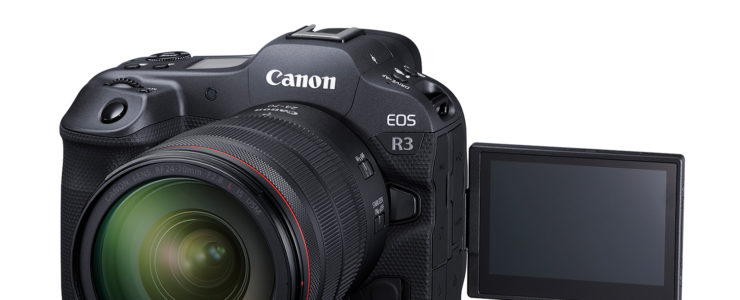
New Canon EOS R3 Firmware Just Released (1.2.1, after ver. 1.2.0 had been pulled)

canon eos r3 firmware sample picture user manual

Canon already released a new firmware update for the Canon EOS R3, after having pulled the previous firmware update because of an issue.

Canon EOS R3 firmware Version 1.2.1 (download) incorporates the following enhancements and fixes:

  1. Adds the ability to set “Custom high speed continuous” to the Drive mode. It is possible to shoot from 2 to 50 images continuously at a speed of approximately 30 to 195 fps.
  2. Adds the ability to select “FHD 239.76 fps/200.00 fps” in “High frame rate.”
  3. 1- Adds the ability for in camera “Depth compositing” during “Focus bracketing.”
    2- Adds Focus bracketing and depth compositing with a flash (Speedlite EL-1).
  4. Adds the ability of time-lapse movie recording. Note that the time-lapse movie setting is retained even if the camera enters the Auto Power Off state before starting time-lapse movie recording.
  5. Adds the ability of Cloud RAW processing functionality. RAW processing with the latest image processing technology is possible. This is a paid service that requires the purchase of a Canon Imaging App Service Plan, which will be available starting July 25, 2022.
  6. Adds the ability to convert multiple HEIF images into multiple JPEG images.
  7. Adds the ability to set [Still Image Crop/Aspect] to [Custom Controls]. The assigned button can be used to switch between crop and aspect ratio.
  8. Adds the ability to crop and resize images during transfer to an FTP server.
  9. 802.1X authentication/WPA2-Enterprise now supports the PKCS#12 certificate format.
  10. Adds an electronic shutter sound to be played when the mechanical shutter or electronic 1st-curtain is set.
  11. Enhances the performance of “Movie Digital IS”. It stabilizes the image when taking selfies or walking shots using a wide-angle lens.
  12. Adds [Auto Power Off Temp.: Standard/High] to the menu for still shooting.
  13. Fixes an issue, which displays Error Code 70 on the camera, that may occur, in rare instances, when the [Disp. performance] setting is set to [Smooth].
  14. Fixes minor issues.
  15. Fixes an issue, in which, after having updated the camera to firmware Version 1.2.0, when performing the [Factory reset] operation, some shooting settings are not retained.

*Items 1 through 14 are changes of Firmware Version 1.2.0, and item 15 is newly added for Firmware Version 1.2.1.

HDR Merge For Luminar NEO Released (AI-powered HDR Photography)

hdr merge

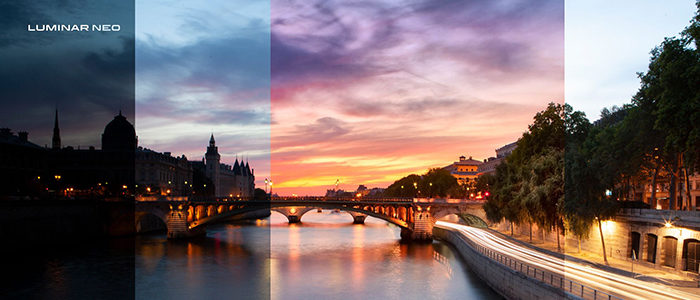
Skylum, the maker of Luminar NEO, has released an additional module for their acclaimed AI-powered photo editing software, HDR Merge.

Aurora HDR owners will get the opportunity to buy Luminar Neo with a loyalty discount and receive the HDR Merge extension for free. Additionally, Skylum customers with Luminar Neo subscriptions will get the Aurora HDR Merge extension for free. Skylum offers a 30-day money-back guarantee from the time of shipping. HDR Merge works only as an extension within Luminar Neo.

Click here to learn more about or to get/buy HDR Merge.

Skylum announces release of first-ever Luminar Neo extension

Welcome HDR Merge, a fresh Luminar Neo extension for stunning HDR photography.

Powerful HDR Merge technology is coming to the award-winning Luminar Neo software as a paid extension. Designed for all fans of HDR photography, HDR Merge compiles multiple exposure-bracketed images into a single HDR image. It can merge up to 10 photos and deliver a spectacular level of color enhancement, making the final result look as close as possible to what the eye sees. HDR Merge is scheduled to be released on July 28, and the preorder has already started.

Skylum’s advanced technologies

HDR Merge will be available as an extension to Luminar Neo, an award-winning app by Skylum with an extensive portfolio of tools that maximizes the artist’s editing powers. Post-processing photos becomes easy in Luminar Neo, which empowers artists to create jaw-dropping landscapes, retouch photos for social media, make creative art with composite images, and deliver stunning portraits with a dreamy bokeh effect — among other things.
Luminar Neo’s powerful new engine gives the platform an unlimited number of creative possibilities, allowing it to incorporate more editing tools for artists and making it easy to add such technologies as the HDR Merge extension without a loss of performance. With HDR Merge, Luminar Neo is transforming into a one-stop solution for landscape and architecture photographers.

The power of HDR Merge

Especially for photographers who specialize in landscape or architecture photos, the right HDR settings can help to create detailed and dynamic photos. The higher the dynamic range, the more details in the highlights and shadows can be shown in a single photo.
If a camera doesn’t have a high dynamic range, one technique to compensate for this is to take multiple exposure bracketed images. That’s where HDR Merge can help, merging up to 10 images into one single HDR photo.
Luminar Neo’s HDR Merge doesn’t produce halos or artifacts. Plus, with the help of intelligent technologies, Luminar artists can create HDR images even from a single photo, with no brackets needed. Artificial intelligence allows for the highest quality of bracket merging and a spectacular level of color enhancement.
What’s unique about Luminar Neo’s HDR Merge is that it can be combined with Luminar Neo’s other tools to create spectacular photos. After merging brackets, artists have a full arsenal of AI-based tools at their disposal. They can enhance with one slider, fix colors and toning, add glow, play with super contrast, add realistic sun rays or vivid foliage — there is a whole world to explore. Luminar Neo gives photo artists the power to achieve the best HDR photos and go beyond in their editing, all in one app.

Create impressive photos

HDR photography is especially important for architecture, landscape, and real estate photography, but it can be applied to any type of photography for a creative effect.

  • Landscape
    Landscape photos usually have a few layers with different colors and contrast, and it’s tricky to achieve a smooth photograph that brings out the best in each layer. With HDR Merge, photographers can create a deep and rich photo of a mountain range, for example, where the mountains in the background, the forest in the center, and the stream in the foreground all look vivid, bright, and well-exposed.
  • Architecture
    It might seem easy to take photos of architecture, as the subjects are static. However, the photographer must take into account a building’s design, location, shadows, light, and weather, as they all play an important role in creating the perfect photo. Taking multiple bracketed images with a range of exposures helps with capturing a full range of light that is closer to what the human eye sees. Then it is the job of HDR Merge to combine these bracketed images into one high-contrast dynamic photo that showcases the best details of the building.
  • Real estate
    A real estate photo should compel buyers to fall in love with a place. Whether a photo is of the exterior or interior, the building should appear well-lit, attractive, and highly detailed. However, the photographer doesn’t always have control over the conditions, as work is usually expected to be done quickly without taking into consideration the weather and time of day. HDR Merge helps real estate photographers achieve high-contrast photos quickly and easily, keeping clients satisfied.

Apart from that, applying HDR merge can help bring out details in underexposed nighttime photos or otherwise fine-tune images with exposure issues.

Preorder for a better price

The HDR Merge extension preorder starts on July 15. The release is scheduled for July 28, 2022, but Luminar owners can preorder HDR Merge now for a better price.
Aurora HDR owners will get the opportunity to buy Luminar Neo with a loyalty discount and receive the HDR Merge extension for free. Additionally, Skylum customers with Luminar Neo subscriptions will get the Aurora HDR Merge extension for free.


Canon EOS R10 & 18-45mm f/4.5-6.3 IS In Stock And Ready To Ship At Adorama

eos r10 review

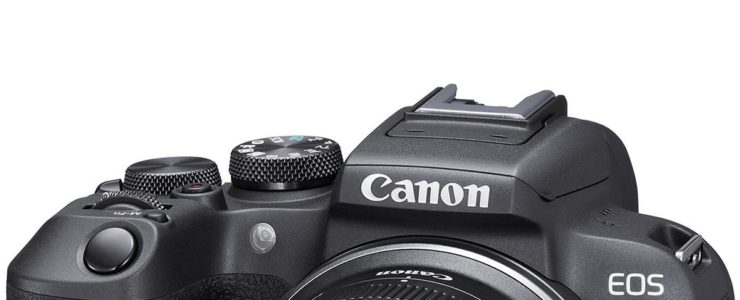
Adorama has stock of the brand new Canon EOS R10 kit with RF-S 18-45mm f/4.5-6.3 IS STM lens.

Canon EOS R10 at a glance:

  • 24.2MP APS-C CMOS Sensor
  • Dual Pixel CMOS AF II
  • 4K30 Video, 4K60 with Crop; HDR-PQ
  • 23 fps E. Shutter, 15 fps Mech. Shutter
  • 2.36m-Dot OLED EVF
  • 1.04m-Dot Vari-Angle Touchscreen LCD
  • Multi-Function Shoe, Wi-Fi and Bluetooth

Get the Canon EOS R10 kit with RF-S 18-45mm f/4.5-6.3 IS STM lens while in stock at Adorama ($1,099).

Canon EOS R10 world-wide: [shoplist 69417]

More Canon EOS R10 coverage is listed here.

Click here to open the rest of the article

Canon Advisory For XF605, EOS C70 & EOS R5 C: Continuous Recording Functions Issue

canon eos r5 c

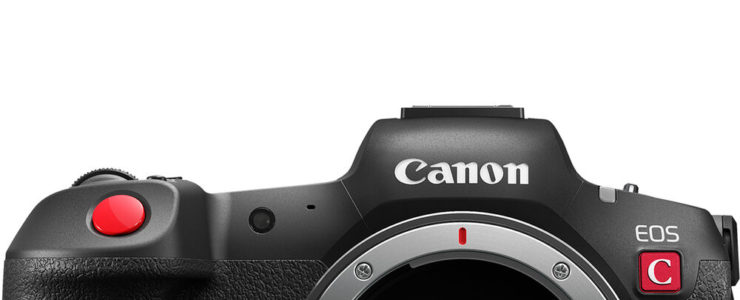
Canon released a product advisory for the Canon XF605, Canon EOS C70 and Canon EOS R5 C. The issue is related to the continuous recording function.

Canon product advisory:

For Users that Use the Continuous Recording Functions of Professional Camcorders and Digital Cinema Cameras

Canon has recently become aware of an issue, as detailed below, that may occur in rare instances while using the Professional Camcorder XF605 and Digital Cinema Cameras EOS C70 and EOS R5 C.

We would like to offer our sincere apologies to any customers who have been inconvenienced as a result of this issue, and we ask for your ongoing patience as we work to resolve this issue.

Issue
If normal recording is performed repeatedly while the continuous recording function* is enabled, the camera may, in rare instances, become inoperable. While the camera is inoperable, fan error may be displayed or the card access lamp may blink.

*The continuous recording function is a setting that is enabled only when MP4 is selected as the recording format. It is a function that allows continuous footage recording to an SD card and operates independently from the REC button. 

If the continuous recording function is not used, this issue will not occur.

Affected Products
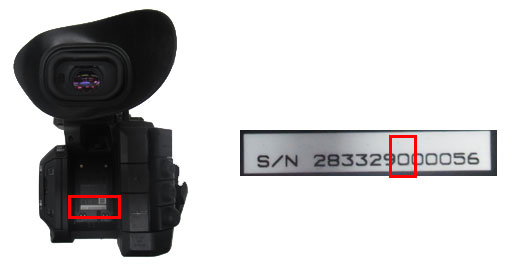
Professional Camcorder XF605: 7th digits from the left in its serial number is “2” or earlier

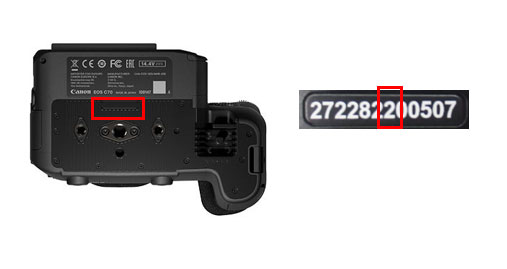
Digital Cinema Camera EOS C70: 7th digits from the left in its serial number is “5” or earlier
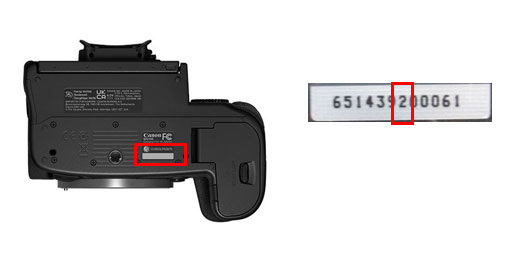
Digital Cinema Camera EOS R5 C: 7th digits from the left in its serial number is “3” or earlier

Our action

We are working to release a firmware update that incorporates fixes for the issue outlined above. For users who plan to use the continuous recording function, please contact your nearest service centre.

Latest Canon EOS R3 Firmware Update (ver. 1.2) Has Been Pulled (mode dial issues)

canon eos r3 firmware sample picture user manual

It seems Canon already pulled the latest Canon EOS R3 firmware update, version 1.2.

User DrJohnEvs in the DPReview forum writes (emphasis mine):

I installed v1.2 a few days ago and all worked well.

I noticed last night that it had been withdrawn from Canon UK site.

This morning I contacted CPS UK. I have just received a reply saying there is an issue and recommended I go back to v1.1.1

The issue is that if you have v1.2 on your camera and then perform a reset the mode dial does not work correctly and you cannot change between Tv Av etc.

Anyone experienced similar issues?