Canon USA Partners With Ron Howard’s New Film RUSH

Want to win a Canon EOS 70D kit?

Canon will launch RUSH: The Photo Contest, a two-week photography challenge on Canon’s Facebook page, now live. Playing off the speed of the film, the user-generated photo contest asks participants to complete ten various photo-based challenges within specific time parameters (e.g., “You have one hour to shoot for the theme: Dedication. Go. Long Live the Rush.”) Each photo challenge winner will win a $250 online store credit to be used at the Canon Online Store, and Ron Howard will select one Grand Prize Winner to receive a Canon EOS 70D EF-S 18-135mm IS STM Camera Kit. Please see www.bit.ly/18iuwtA for the Official Rules. The contest will live on www.Facebook.com/CanonUSA.

A set of Canon cameras was used to shot the speed scenes of the film, among them the Canon EOS C300 (B&H | Adorama). and EOS 5D Mark III [shoplink 2431](price & specs)[/shoplink].

Canon USA press release:

Canon U.S.A., Partners With RUSH, The New Film From Two-Time Academy Award® Winner Ron Howard

Canon Launches RUSH: The Photo Contest, a Photography Challenge with Time Parameters

MELVILLE, N.Y., October 17, 2013 – Canon U.S.A., Inc., a leader in digital imaging solutions, has expanded its relationship with two-time Academy Award®-winning director Ron Howard for his recently released film from Universal Pictures, RUSH, which builds upon the imaginative ways that Canon products are used in Hollywood. RUSH hit theaters in Los Angeles and New York City on September 20, and it arrived across the country on September 27.
Click here to open the rest of the article

It’s Official (now): The New Sigma 24-105mm f/4 DG OS HSM

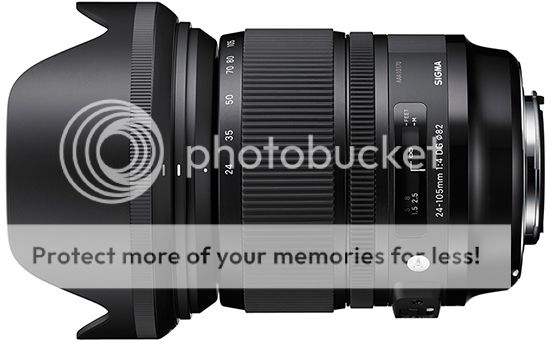
Sigma 24-105mm f/4 DG OS HSM

After having silently posted all specs a few days ago, Sigma put the page offline, and now online again. So, it has officially landed: the new Sigma 24-105mm f/4 DG OS HSM lens for full-frame DSLRs, latest addition to the “Art” line-up. Although Sigma doesn’t specify neither the price nor the date of availability, we know that the latter is November 2013. After the break all the information about Sigma’s newest.

Click here to open the rest of the article

Update – Want A Customized PowerShot S120 or G16? You Can Have It Premium!

Customized PowerShot
Image courtesy: Akihabara News

UPDATE: these kits will be available only in Japan, Canon JP has a dedicated page (translated).

According to Akihabara News, the Canon Store will soon announce (starting October, 30th) the possibility to order customized [shoplink 16066]Canon PowerShot S120[/shoplink] and [shoplink 15884]PowerShot G16[/shoplink] cameras. Btw, the S120 is discounted for today only at DigitalRev.

You have the chance to assemble your unique and original PowerShot choosing several different parts in four different colors (red/gold/silver/black). Plus you can engrave what you like, as a name or a message. The cameras come with special accessories, think straps and cases. Orders start on October 30th at Canon Direct Store.

Akihabara News names the following unit amounts and prices (note: I report converted prices for US$ and €, doesn’t mean this is the final price in US$ or €):

PowerShot S120 PREMIUM BOX
Price: ¥54,980 (around $558/€411)
Only 3,000 units available

PowerShot G16 PREMIUM BOX
Price: ¥69,980 (approx. $711/€524)
Only 1,000 units available

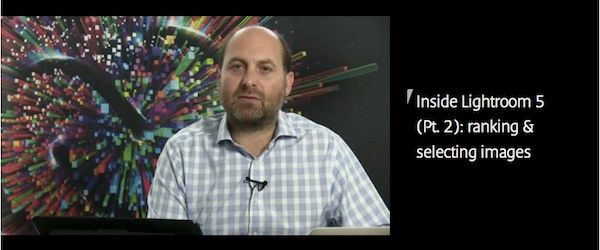
Inside Lightroom 5 (Pt. 2): Ranking & Selecting Images (Canon Professional Network)

Inside Lightroom 5
Screenshot from the CPN video

CPN published part 2 (part 1 here) of 5 of their ongoing series Inside Lightroom 5: Ranking and selecting images. Pretty comprehensive and quite in-depth guides to learn the best of [shoplink 13714]Lightroom 5[/shoplink]. This time in short:

[…] Richard Curtis (a Principal Solutions Consultant in Digital Imaging for Adobe UK) will examine the key features of Lightroom 5 to give you a solid grounding and a good understanding of how to get the most out of working with the software. In Part 2 of this series Richard Curtis explains the ranking and selecting of images in Lightroom and, in a special video, he reveals how to select and rank your pictures for editing later on.

There is a 15min video, and those section are discussed (also in text):

  • Your Photo Import is complete – what’s next?
  • The Lightroom Filmstrip
  • Auto Advance
  • Two methods for selecting and choosing your pictures
  • Hide the Lightroom panels and hood
  • Full Screen mode
  • The Pick and UnPick method
  • The Star Rating system
  • Change the Filmstrip view to show just the selection
  • Survey mode