Canon Cameras Do Not Properly Delete Copyright Info (all EOS cams since 2007)

canon rumors canon full frame mirrorless

You likely know that you can set up copyright info in you Canon camera and I am sure a lot of you do. It’s a good idea if you care about intellectual rights. Unfortunately it seems your info stays there even after you deleted it from the settings.

That’s not good, and even worse for the privacy-concerned people. Copyright information you can save consists of owner name, artist name, copyright and IPTC info (on newer cameras). Laszlo Pusztai, author of the ShutterCount app, found a weird bug in Canon EOS cameras, and according to him it affects all EOS cameras since 2007.

You use the camera’s Delete copyright information menu item, thinking that it will remove everything. Unfortunately this isn’t the case. Besides not touching owner and IPTC fields at all, it only replaces the very first character of the author name and copyright fields with a zero, leaving your previously set copyright information in the camera.
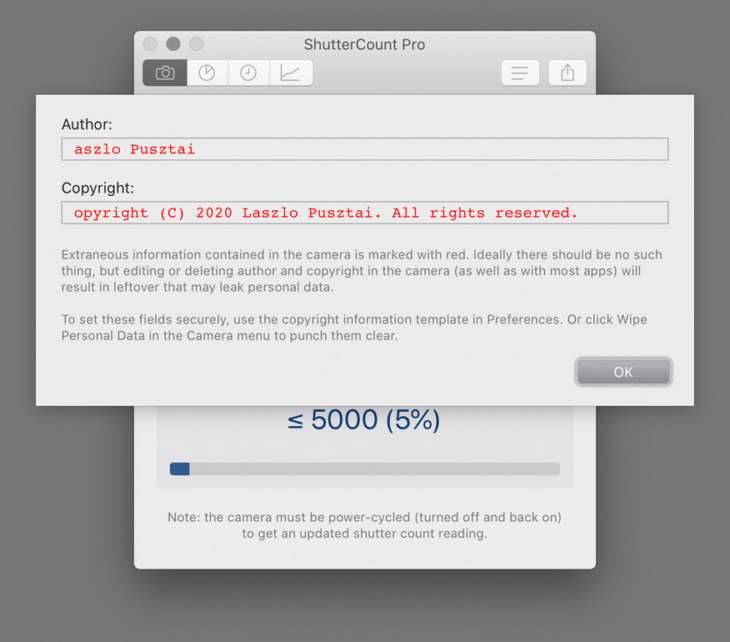
Not deleted copyright information as displayed by ShutterCount Pro

That’s bad. Imagine you sell your camera. You don’t want a camera with your copyright info to go around the world. And what if your old camera is found at a crime scene? Or let’s say your camera gets stolen and even if the thief deletes copyright information from settings, law enforcement might still find your name and address. Just use your imagination: an electronic device out there with your personal information stored on it an readable to anyone.

Laszlo’s article explains how this bug also affects the EOS Utility, and how to get rid of the problem. Either with the ShutterCount app, or manually by going through an easy yet time consuming process:

[…] first delete both the owner and and IPTC info with EOS Utility, then go into the camera’s menu and completely fill the author and copyright fields with spaces, or X characters (or anything you would like), and save them. Then use the Delete copyright information menu item.

Or you can do it automatically, the ShutterCount Pro Wipe Personal Data command will securely delete all ownership and copyright information from the camera.

Let’s hope Canon fixes this ugly bug soon, and thanks to Laszlo for sharing his findings.
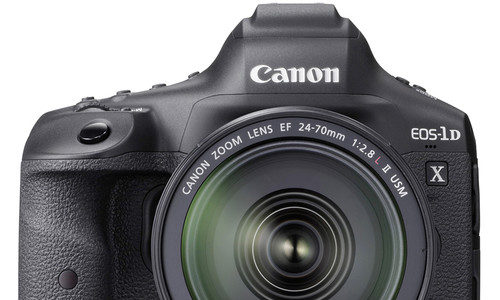
Canon EOS-1D X Mark III Firmware Update Released (version 1.2.1)

Canon EOS-1D X Mark III review

Canon released firmware version 1.2.1 for the Canon EOS-1D X Mark III.

Canon EOS-1D X Mark III firmware 1.2.1 (download) incorporates the following fix:

1. Fixes a phenomenon, in which, after updating the camera’s firmware to version 1.2.0, the Smart Controller may respond slowly or not at all on some cameras. *)
*) The phenomenon described above may occur in cameras whose first two digits of the serial number are "01" "02" "03" or "04".

Firmware Version 1.2.1 also incorporates the following fixes and enhancements from Firmware Version 1.2.0:

1. Enhancements when using Browser Remote:
- The image list displayed will be refreshed automatically on the browser.
- On the shooting screen of the browser, you can set the movie resolution and a high frame rate.
- On the shooting screen of the browser, you can change the movie shooting mode.
- On the shooting screen of the browser, Live View will be displayed as soon as you select the movie shooting button.
2. Enhances Auto Focus (AF) for improved face and eye recognition at greater distances.
3. Fixes a phenomenon that may occur during viewfinder shooting, in which the shutter may not be released or the camera may not operate in the following settings:
- In One-Shot AF mode, when the AF Area Selection Mode is set as Zone AF, Large Zone AF or Automatic Selection AF.
- In AI Servo AF, when direct AF point selection is made using the smart controller. 
- When the Register/Recall Shooting Function is assigned to the AE Lock button, in the Custom Controls.
4. Connectivity during FTP transmission, has been improved.
5. Improves Wi-Fi connectivity when using the Wireless File Transmitter WFT-E9.
6. Fixes a phenomenon, in which the card access time may take longer, when using certain CFexpress cards.

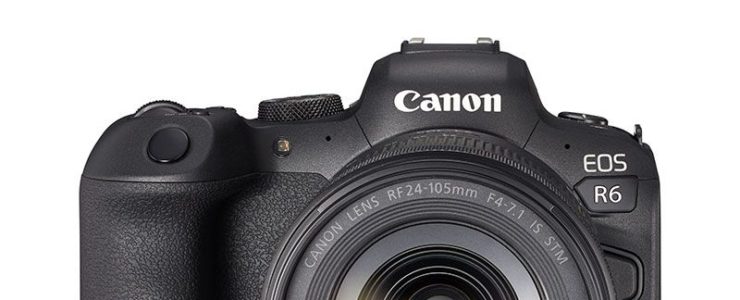
Latest Canon EOS R6 Firmware Brought A “big improvement” To Thermal Issues

Canon firmware EOS R6 firmware

Canon released a Canon EOS R6 firmware update a few weeks ago. Did it influence the so-called overheating issue?

DPReview‘s Jordan Drake and Richard Butler put Canon EOS R6 firmware 1.1.1 under scrutiny. They compared an EOS R6 with the new firmware to one with the old firmware and “found a big improvement”. Moreover, it seems the firmware update solves the overheating issue for most shooting sets.

For more Canon EOS R6 review stuff see here. User manual are available for download for the EOS R5 and the EOS R6.

Canon EOS R6: [shoplist 62745]

Click here to open the rest of the article

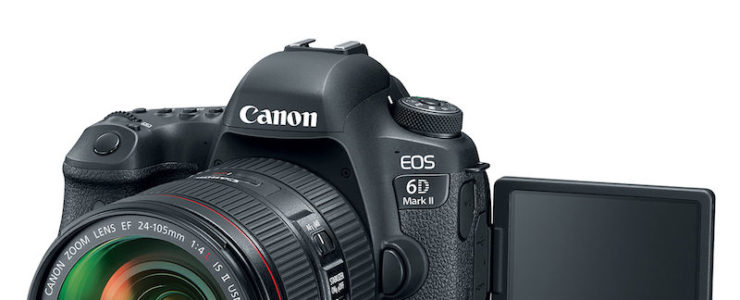
Firmware Updates For Canon EOS 5D Mark IV and EOS 6D Mark II

Canon eos 6d mark ii deal

Canon released firmware update for the Canon EOS 5D Mark IV and Canon EOS 6D Mark II.

Canon EOS 5D Mark IV firmware 1.3.0 (download) incorporates the following enhancements and fixes:

  1. Enables NFC connection with smartphones running Android 10 operating system. *For Android running v6.0 or later, use Camera Connect v2.7.10 or later.
    *For Android running v5.0 or older, use a connection method other than NFC.
  2. Enables support for the .CR2 image file format on image.canon.
  3. Fixes a phenomenon in which some camera operations may not be possible or an error may occur after an insufficient flash output is produced when shooting with the flash.

Canon EOS 6D Mark II firmware 1.1.0 (download) incorporates the following enhancements:

  1. Enables NFC connection with smartphones running Android 10 operating system.
    *For Android running v6.0 or later, use Camera Connect v2.7.10 or later.
    *For Android running v5.0 or older, use a connection method other than NFC.
  2. Enables support for the .CR2 image file format on image.canon.

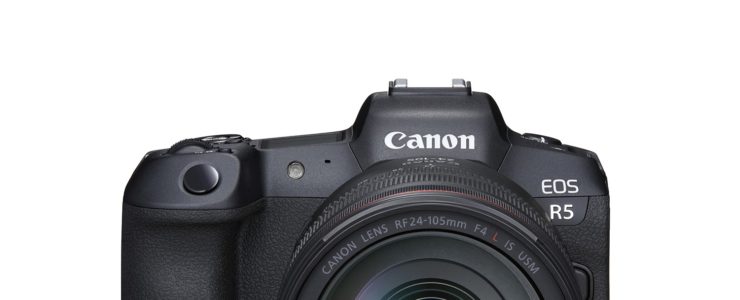
Canon Released Another Firmware Update For EOS R5 and EOS R6

canon EOS R5 Firmware Update sony a7s iii

A few weeks after the firmware update for the EOS R5, Canon released new firmware updates for the EOS R5 and EOS R6.

This time the firmware update appears to be more for the Canon EOS R6 than for the EOS R5, since it tackles with heat production on the R6. The R5 already had a firmware update coping with this.

Canon EOS R6 firmware 1.1.1 (download) incorporates the following fixes and enhancements:

  1. A messaging is displayed when [HDMI display: Camera+External monitor] and [Overheat control: on] settings are both enabled.
  2. When the RF100-500mm F4.5-7.1 L IS USM is attached, an image stabilization effect of approximately six stops* is achieved through collaborative control with the in-lens image stabilization.
    *Focal length 500mm, Based on CIPA(Camera & Imaging Products Association) standards.
  3. Fixes a phenomenon in which the IS capabilities may be degraded when performing continuous shooting in cases where the RF100-500mm F4.5-7.1 L IS USM lens is attached to the EOS R6 running firmware version 1.1.0.
  4. When using certain RF lenses for movie shooting, the in-lens image stabilization mechanism has been improved.
  5. Fixes a phenomenon in which the “Slow Synchro” setting screen is not accurately displayed, when the language is set to English.
  6. Fixes a typo displayed on the communication setting screen, when the language is set to Korean.
  7. Connectivity during FTP transmission has been improved.
  8. Temperature detection and shooting time control in video shooting have been improved. In addition, the total shooting time when the short-time recording and power-on/off are performed repeatedly at room temperature is improved.
  9. The phenomenon in which the movie recording time available is not correctly displayed when the Date/Time/Zone is not set has been corrected.

Canon EOS R5 firmware 1.1.1 (download) incorporates the following fix and enhancement:

  1. When the RF100-500mm F4.5-7.1 L IS USM lens is attached, an image stabilization effect of approximately six stops* is achieved through collaborative control with the in-lens image stabilization.
    *Focal length 500mm, Based on CIPA(Camera & Imaging Products Association) standards.
  2. Fixes a phenomenon in which the IS capabilities may be degraded when performing continuous shooting in cases where the RF100-500mm F4.5-7.1 L IS USM lens is attached to the EOS R5 running firmware version 1.1.0.