Tamron Announced “Lens Utility Mobile” For Android Devices
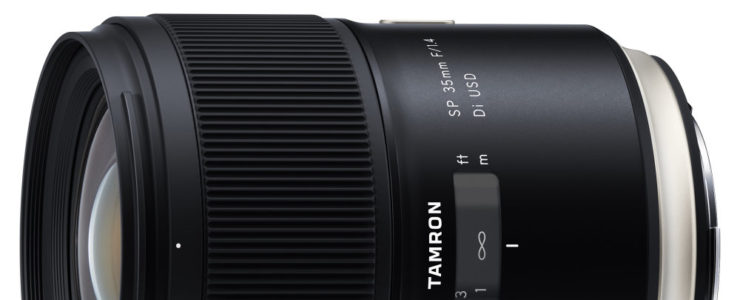
Tamron SP 35mm f/1.4 review

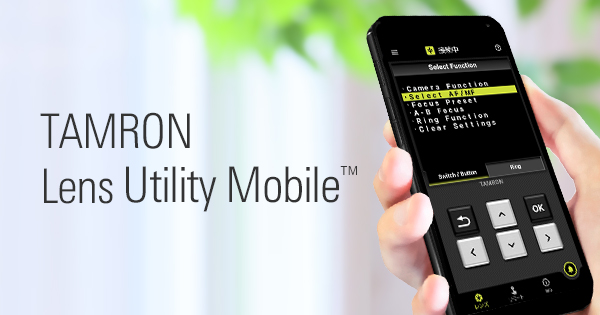
Tamron released a “Lens Utility Mobile” app for Android devices. See below for what it is good.

Tamron press release:

TAMRON announces TAMRON Lens Utility Mobile™ for Android™ 1 OS; users can tune lens features in the field via a smartphone

November 29, 2022, Saitama, Japan – Tamron Co., Ltd. (President & CEO: Shiro Ajisaka; Headquarters: Saitama City), a leading manufacturer of optics for diverse applications, announces the launch of TAMRON Lens Utility Mobile™, a dedicated application for smartphones and tablets running with Android™ 1 OS that provides convenient use in the field and expands the possibilities of video and still photography.

The application is the mobile version of the TAMRON Lens Utility™ dedicated Windows and Mac PC software that has earned praise from many TAMRON lens users since its release in October 2021 and was developed in-house by TAMRON.

APPLICATION NAMETAMRON Lens Utility Mobile™
DATE OF LAUNCHNovember 29, 2022
COMPATIBLE OSAndroid 6-12 2
COMPATIBLE LENS 3 428-75mm F/2.8 Di III VXD G2 (Model A063)
35-150mm F/2-2.8 Di III VXD (Model A058)
20-40mm F/2.8 Di III VXD (Model A062)

Summary of TAMRON Lens Utility Mobile

October 2021 marked the release of TAMRON Lens Utility, a dedicated PC software that enables the customization of various functions of select TAMRON lenses to match the video and still photography style of the lens user. Since then, we have received feedback regarding improved convenience from customers wishing to make lens function customizations when shooting in the field. As a result, we have developed TAMRON Lens Utility Mobile for Android OS. Using the TAMRON Connection Cable 5, an Android smart device can be connected to a lens to easily configure lens customizations without requiring a computer.
A new function that enables lens operations to be controlled from a smartphone has also been added. For example, the A-B Focus function that smoothly shifts the focus from one preselected subject to another can be setup without touching the lens.
Expansion of functions in the future is possible to make users even more comfortable to try out video production.

  1. Tethered remote controlDedicated features developed for the smartphone can be configured to perform tethered control.
    (Features that can be configured with the Remote Set Button in the application)
    – A-B Focus: Set 2 focus positions (A and B) and make the focus shift between A and B 6
    – Focus Preset: Set your desired focus position and move the focus to the recorded point by a single tap of the Remote Set Button 6
    6 With the Mobile version, the focus travel time can be specified in 0.1-second increments. With the PC version, there are eight possible speed levels.
  2. Customizing the Custom Switch or Focus Set Button (Normal functions available with the PC version)- A-B Focus: Set 2 focus positions (A and B) and make the focus shift between A and B 6
    – Focus Preset: Set your desired focus position and move the focus to the recorded point by a single press of the Focus Set Button 6
    – Focus Limiter: Select the autofocus search range between Full and Limit
    – Select AF/MF: Select AF and MF function using the Focus Set Button
    – Switch Focus Ring Function (Focus/Aperture): Switch Focus Ring Function from focus adjustment to aperture adjustment
    – Assign function from the camera: Assign custom functions from the camera body to the Focus Set Button
Learn more here…

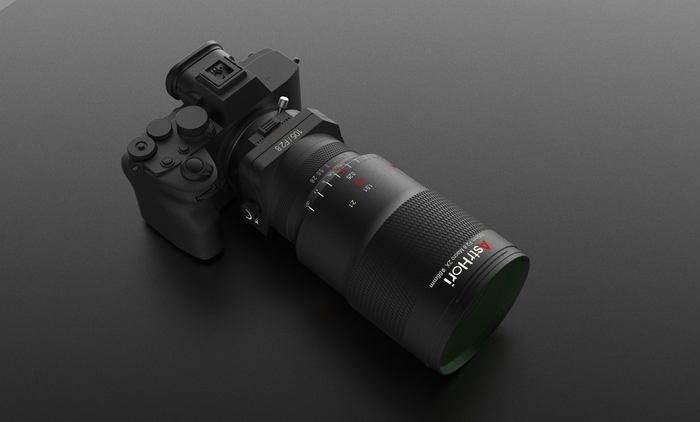
Images Of The Upcoming Astrhori 105mm f/2.8 2x Macro Tilt Lens

Astrhori 105mm

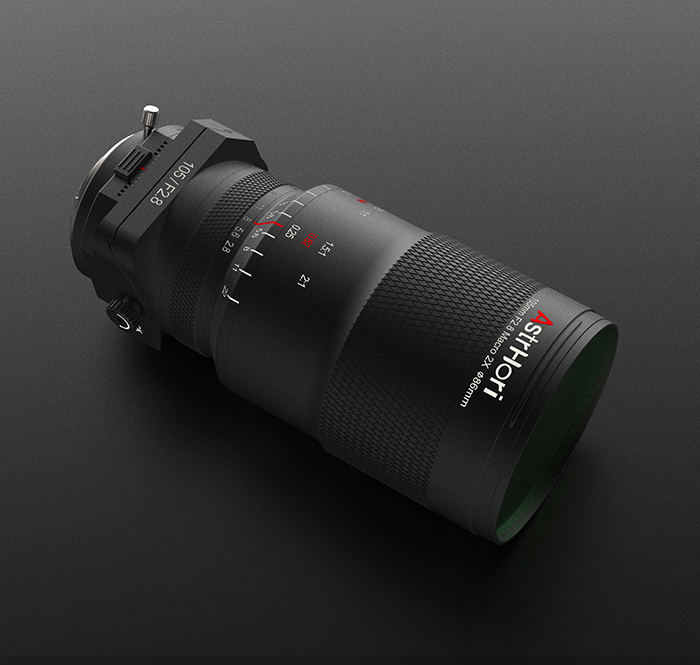
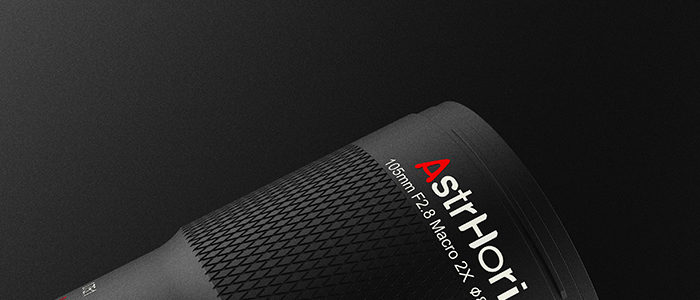
Here is a set of images of the upcoming Astrhori 105mm f/2.8 2x Macro Tilt lens.

The Astrhori 105mm f/2.8 2x Macro Tilt lens will be available for Sony E, Canon RF, Fuji GFX, and Sigma L mount. Teh specifications:

  • Focusing range 0.115m~∞
  • Aperture range (FNo.) F/2.8~22
  • Optical total length (TTL) 110mm-197mm
  • Lens construction 13 elements in10 groups
  • Optical Back Focus (B.F.L.) 45mm-81mm
  • 2x Macro/360 Degree Rotation/Pan/Tilt

Amazon US sells Astrhori lenses.

[via Mirrorless Rumors]

Reasons For Switching From Sony To Canon (who needs reasons?)

cano eos R5 vs sony a7r iv

I do not know this guy but with this decision he seems very clever to me ;-)

Nick Page decided to switch from Sony to Canon. Smart move. Here is why he did it (emphasis mine).

Over this past year, I have learned that there is more to a camera than spec sheets and DXO Mark ratings. My Sony cameras have not been holding up to the abuse I put them through and it has left me wanting something more durable that can hold up to the abuse of a Landscape/Seascape photographer.
This is the story of why I switched back to Canon.

More about it in Mr. Page’s video:

[via Mirrorless Rumors]

Canon Firmware Updates: EOS R3, EOS R7 and EOS R10

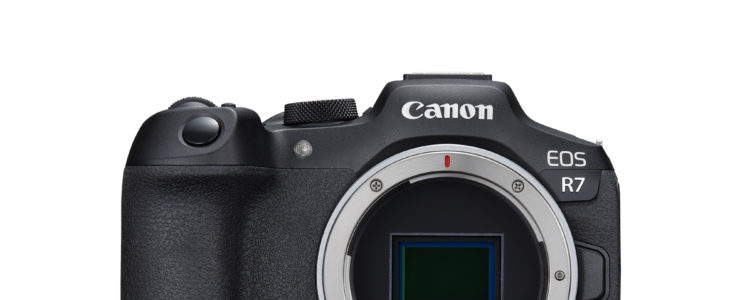
canon eos r7 review canon firmware updates

Canon firmware updates for the Canon EOS R3, Canon EOS R7 and Canon EOS R10 have been released.

Canon EOS R3 firmware ver. 1.3.0 (download), incorporates the following fixes:

  1. The [User Def.] on [Picture Style] can now be selected in the Cloud Raw image processing settings.
  2. Fixes minor issues.

Canon EOS R7 firmware ver. 1.2.0 (download), incorporates the following enhancement:

  1. The [User Def.] on [Picture Style] can now be selected in the Cloud Raw image processing settings.
  2. Fixes an issue that, in rare instances, displays an Error Code 70 when the camera is capturing small subjects.
  3. Fixes minor issues.

Canon EOS R10 firmware ver. 1.2.0 (download), incorporates the following enhancement:

  1. The [User Def.] on [Picture Style] can now be selected in the Cloud Raw image processing settings.
  2. Fixes an issue that, in rare instances, displays an Error Code 70 when the camera is capturing small subjects.
  3. Fixes minor issues.

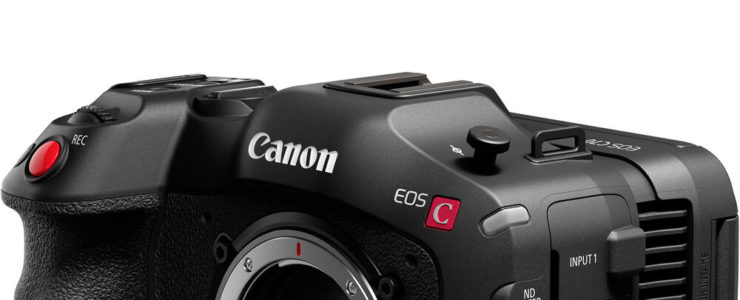
Canon Announces Multi-feature Firmware Update For EOS C70

video gear cinema eos c70 firmware review

It will be released at the beginning of December 2022.

Canon press release:

Canon Introduces Multi-Feature Firmware Update for EOS C70 4K Digital Cinema Camera

MELVILLE, NY, November 16, 2022 – Canon U.S.A., Inc., a leader in digital imaging solutions, announced today a multi-feature firmware update for the EOS C70 4K Digital Cinema Camera. The batch of feature upgrades coming via a firmware update will help to improve workflow and functionality for the content creation, live production and documentarian markets. The firmware update will be available as a free download on December 8th, 2022*. Top upgrades include:

  • Eye Detection Auto Focus (AF), Face Detection AF, and Subject Tracking AF During Slow and Fast Recording (24-120p): Canon’s Eye AF, Face Detection AF, and Subject Tracking AF allows for more accurate auto focus performance at accelerated frame rates, helping to ensure you don’t miss that crucial shot.
  • XF-AVC 4K Intra-frame 60p: Newly added XF-AVC Intra-Frame 60p records at a bit rate of 600Mbps and offers users a lightweight, high-quality codec that helps to minimize storage costs and speed up file transfers. This new file format allows for easier handling of files and the capability to record to an SD card.
  • Canon’s IP-based XC Protocol: XC Protocol enables multi-camera remote control of camera settings via the Canon RC-IP100 remote controller or other third-party XC Protocol-enabled remote control panels.
  • Canon 709 Custom Picture Profile: The Canon 709 Profile has the same dynamic range as the current Wide DR profile setting with great contrast. This provides a rich, cinematic look to your footage right out of the box, without the time-consuming need for color grading.
  • CMT 709 “Viewing Assistance”: Allowsthe video output of the camera to be viewed on a REC.709-compliant monitor when recording in Canon Log 2 or Canon Log 3. CMT 709 is a great starting point for any color grading and assists in making adjustments while shooting, reducing the time needed to edit the file in post-production.
  • Full Communication with EF-Mount Flex-Zoom 45-135mm and CINE-SERVO 15-120mm Lenses: Communication features include T-stop display, chromatic aberration correction, Dual Pixel CMOS AF, and Dual Pixel Focus Guide.

Additional upgrades of the firmware update include:

  • Maintaining camera settings when switching between normal and slow & fast recording modes.
  • Audio 4 channel display now viewable in the level meter display on the camera’s LCD display.

To download or more information regarding the firmware update and all of Canon’s professional video products and solutions, please visit usa.canon.com.