Huge Discounts On Canon EOS R3 And EOS RP Kits

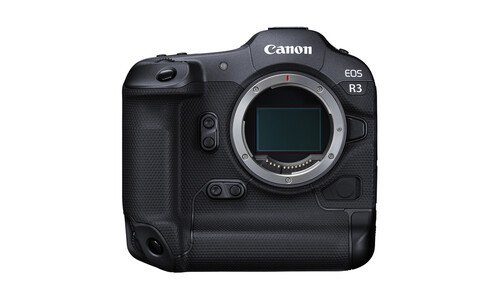
canon eos r3

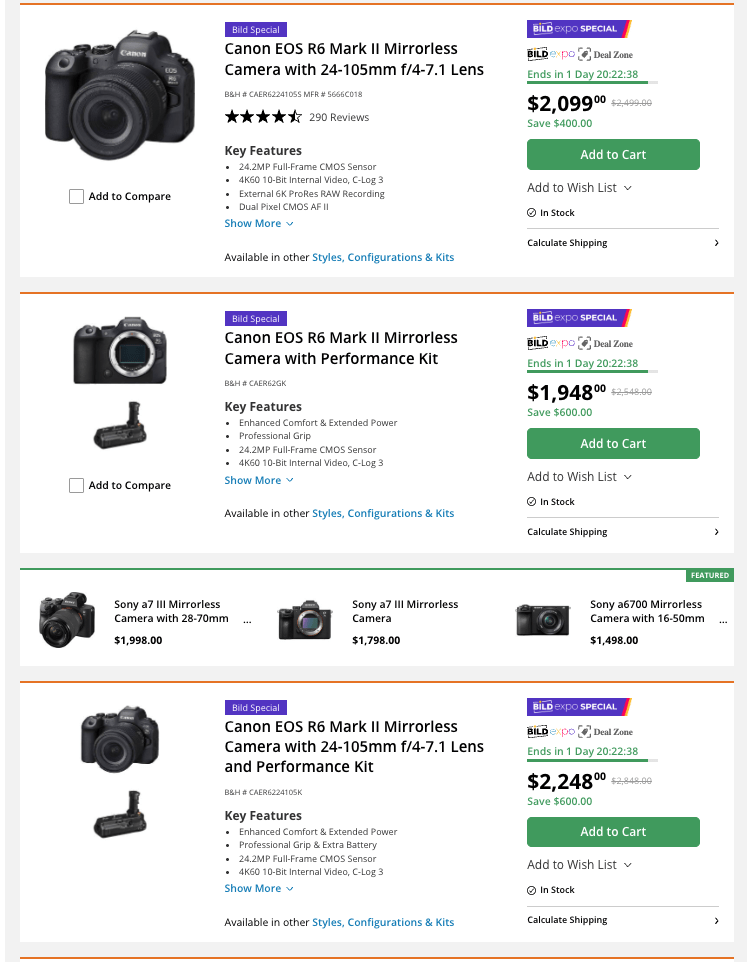
B&H Photo has some concrete deals on the Canon EOS R3 and Canon EOS RP.

More discounted Canon gear listed at B&H Photo – there is plenty of.

More selected deals:

Canon vs. Sony: The Cinema Slap Fight We’ve All Been Waiting For

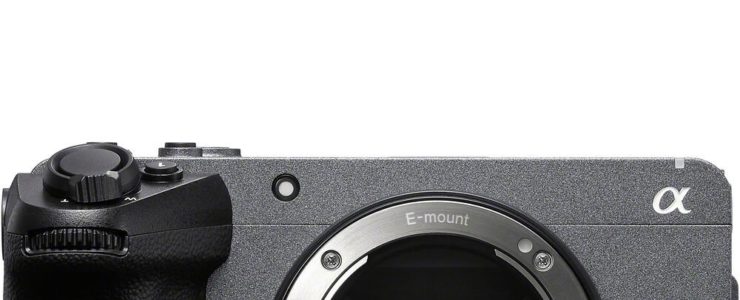
sony fx30

It only took them, what, a decade? But it looks like Canon is finally tiptoeing into Sony’s sandbox with a Cinema EOS series designed to square off against the almighty FX line. Because obviously the world was crying out for yet another compact cinema camera.

Sony, of course, has been sitting smugly on the throne since 2021, when they dropped the FX3—aka the A7S III in cosplay. Then came the APS-C FX30 in 2022, followed by… crickets, until this year, when they got around to tossing out the FX2 and FX3A (the “A” apparently standing for “Almost the Same Camera”). Oh, and the FX6 still exists, but that’s for people who like their cameras shaped like cinderblocks.

Meanwhile, Canon was busy pretending their hybrids could do it all. Cute, but even they know it’s time to play in Sony’s backyard.

Canon’s FX30 Killer? Or Just a Very Strongly Worded Note?

Rumor has it Canon’s first move will be an APS-C Cinema EOS. Translation: they’re going straight for Sony’s FX30. The whispers claim Canon will of course make something better, because when you show up three years late to the party, you at least bring nicer wine.

Also: the mythical “Canon Cripple Hammer”? Dead. Retired. Hung on the wall next to Canon’s EF mount. This is Cinema EOS, baby – we expect no artificial limits. Unless they get nostalgic, then all bets are off.

Specs (Well, the Vague Kind)

Here’s what’s floating in the rumor stew:

  • A totally “all-new” APS-C sensor, with readout speeds similar to the R1. Because if Canon can do it in full-frame, obviously scaling it down is just a weekend project.
  • No, don’t hold your breath for global shutter. Canon hasn’t dared touch that since the C700 GS. But hey, hope is free.
  • Maybe a tiltable EVF? Sony did it with the FX2 and half the internet screamed in joy while the other half screamed in rage. Pick your camp.
  • Batteries that don’t faint mid-shoot would also be nice. Canon’s hybrids sip juice like hummingbirds on espresso, so here’s hoping.
  • Dual SD card slots, because apparently mismatched slots (hello, R5 Mark II) cause photographers actual emotional trauma.

But Wait, What About Full Frame?

If Canon does APS-C, of course they’ll cook up a full-frame rival to the FX2/FX3A. The R5 C is still out there limping along—half cinema, half hybrid, all compromise. It’s begging for a glow-up.

For stills shooters who dabble in video, Canon already has more hybrids than anyone asked for. This new Cinema EOS line is supposed to be for the serious video crowd—the ones who use words like “rolling shutter” at dinner parties.

Conclusion: September, Maybe

Yes, Canon did technically launch the R50 V this year, which was basically an R50 that put on a YouTuber hoodie. It was cheap, cheerful, and… fine. But if they can stretch that logic to a $2,500 cinema-focused body, then maybe, just maybe, we’ll finally have something interesting.

Canon is expected to announce this Cinema EOS mystery box in early September, conveniently timed to show off at IBC 2025 in Amsterdam. Because nothing says “we’re serious about cinema” like unveiling a new APS-C camera next to booths selling LED walls and free tote bags.

Stay tuned. Or don’t. Sony’s probably got an FX4 cooking just to spite them anyway.

[via CR]

Canon EOS R1 Firmware Update: Version 1.1.2

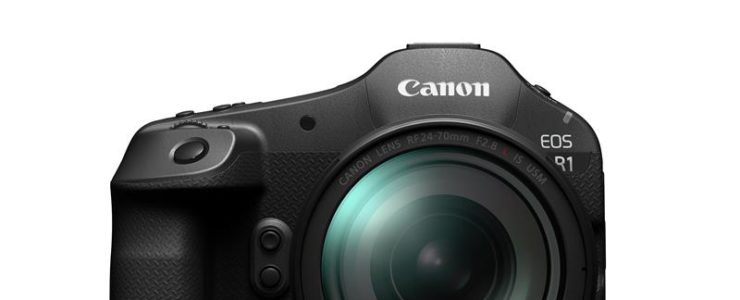
canon eos r1

Canon released a firmware update for the Canon EOS R1, version 1.1.2. Lots of fixes in this one. You can download the firmware update here.

This firmware (Version 1.1.2) includes fixes for the following issues identified in Version 1.1.0:

1. Fixes an issue where video could not be recorded correctly when using a memory card larger than 2TB with the [Pre-recording] setting enabled.

2. Fixes an issue where the camera failed to operate properly after updating to Firmware Version 1.1.0 if the still/video switch function was set to [Silent shutter function switching] or [Disable].

This firmware also incorporates the following changes introduced in Firmware Version 1.1.0:

1. Improves security features. A password must be set initially.
• Adds the ability to review the history of any changes made to the password, network information, or other settings.
*For more information, please refer to the ‘Setting a Password’ section in the Advanced User Guide on cam.start.canon.

2. Enables firmware updates to be performed when the camera is connected to the internet and new firmware is made available on Canon servers.

3. Adds [Viewfinder Priority] mode, which activates the viewfinder when a user is detected by the rear sensor.

4. Adds the ability to automatically detect Flicker at 100 or 120 Hz during Live View display.

5. Adds the ability to register focus position as a presets on the CR-A100 Camera Remote Application. This ability makes it easier to focus on subjects at the intended distance when the application is used with Robotic Camera System CR-S700R.

6. Adds the ability to select [Panning Assist]. When users pan with compatible lenses, image stabilization and subject blur correction are applied during exposure.

7. Adds the ability to select [Case Special] to expand Servo AF characteristics which is effective for subjects located behind a net in sporting events, such as badminton or volleyball.

8. Adds support for the Software Development Assistance Kit (EDSDK/CCAPI).

9. Adds a function that simultaneously protects images when they are rated.

10. Adds the ability to use up to 8TB of CFexpress cards.
Note
– Cards larger than 8TB require low-level formatting by the camera.
– Cards larger than 8TB are treated as 8TB cards.
– Cards larger than 2TB cannot be used for firmware updating.

11. Adds to lower the image capture frame rate to help prevent overheating when connected to CR-A100 in extended remote shooting.

12. When transferring images with voice memos via FTP, the transfer order priority has now changed with voice memo (Wav) file being sent first followed by image file.
If a voice memo is added to an image queued for transfer, the image and voice memo are now sent last.

13. Adds the ability to set the number of shots captured in pre-continuous shooting mode.

14. Adds the ability to set [Airplane mode] to shooting button customization.

15. Adds the ability to enable [Exposure Simulation] when a flash unit is attached.

16. Improved AF tracking during video capture for subjects that are difficult to focus on.

17. Fixes an issue in which Err70 may occur when enlarging an image after shooting with [Blackout-Free Display] set to “On” and [Servo 1st image priority/One-Shot AF release priority] set to “Release priority”.

18. Fixes an issue in which Err70 may occur during Bluetooth communication due to interference from other Bluetooth devices.

19. Fixes an issue in which Err70 may occur when repeatedly shooting in the “High-speed continuous shooting +” mode.

20. Fixes an issue in which Err70 may occur immediately after startup when shooting with the electronic shutter.

21. Fixes an issue in which Err70 may occur during video recording in “FHD239.8P/200.0P”.

22. Fixes an issue in which Error 70 may occur while filming in video mode with frame rate set to “50.00P” and [Movie Digital IS] set to “On” or “Enhanced”.

23. Fixes an issue in which Err70 may occur during shooting when both [Pre-recording] and [Auto send] to image.canon are set to “Enable”.

24. Fixes an issue in which the camera may stop functioning properly when [Image Review] is set to “Off” and the monitor entered low brightness mode after pre-continuous shooting.

25. Fixes an issue in which video recording may not be possible when using Remote Live View shooting in EOS Utility while outputting via HDMI.

26. Fixes an issue in which large RAW image files may not be transferred via Camera Connect.

27. Fixes an issue in which the camera may not connect to Wi-Fi 7-compatible routers.

Contact a support representative regarding use of the Software Development Kit for digital cameras.

If the camera’s firmware is already Version 1.1.0, it is not necessary to update the firmware.

Canon EOS R5 Mark II Firmware 1.1.0 Released

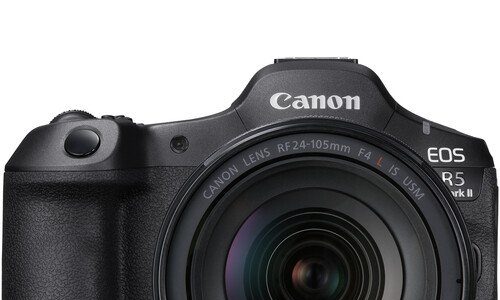
canon eos r5 mark ii

Canon released a firmware update (download) for the Canon EOS R5 Mark II, version 1.1.0.

This is what is new:

  • The security function has been improved.
    A password can now be requested when the power is turned on.
    • You will need to set a password the first time.
    • You can change the settings so that the password request screen does not appear.
    • You can check the history of password changes, network information changes, etc.
    • *Please refer to the detailed guide “Setting a Password” on cam.start.canon.
  • You can now update the firmware on the camera alone by downloading it from the Internet.
  • 100/120Hz flicker can now be automatically detected during live view.
  • It is now possible to register the focus position in the preset function of the Camera Remote Application CR-A100. When used with the Robotic Camera System CR-S700R, this makes it easier for the photographer to focus on the intended subject distance and take pictures.
  • The servo AF characteristics have been expanded to include [Case Special], which is suitable for shooting subjects through a net, such as badminton and volleyball.
  • Added support for the digital camera software development support kit (EDSDK/CCAPI).
  • A function has been added that allows you to protect an image at the same time as rating it.
  • Improved image stabilization control for lenses that support peripheral coordinated control.
  • Supports CFexpress cards up to 8TB.
    • Cards over 8TB require a low level format in the camera.
    • Any card over 8TB will be treated as an 8TB card.
    • Cards larger than 2TB cannot be used for firmware updates
  • A setting has been added to lower the image capture frame rate to prevent heat generation when connecting the CR-A100 and taking remote shots over long periods of time.
  • When transferring images with voice memos via FTP, the order of transfer has been changed to voice memo, then image. Also, if a voice memo is added to an image waiting to be transferred, the image and voice memo will be transferred last.
  • The number of shots recorded during pre-continuous shooting can now be set in single increments.
  • [Airplane Mode] has been added to the shooting button customization.
  • It is now possible to simulate exposure when using a strobe.
  • AF tracking performance has been improved for subjects that are difficult to focus on when shooting video.
  • Fixed an issue that could cause Err70 to occur when enlarging the display after shooting with [Blackout Free Display] set to “On” and [Servo AF 1st Frame Release/One-Shot AF Release] set to “Release Priority.”
  • Fixed an issue where Err70 could occur during Bluetooth communication due to interference from other Bluetooth devices.
  • Fixed the phenomenon that Err70 would very rarely occur when repeatedly shooting in “High-speed continuous shooting +”.
  • Fixed the phenomenon that Err70 would very rarely occur when shooting with the electronic shutter immediately after starting up the camera.
  • Fixed the phenomenon that Err70 occurs very rarely when recording video with the “FHD239.8P/200.0P” setting.
  • Fixed an issue that occasionally caused Err70 to occur when using the camera in movie mode with the frame rate set to “50.00P” and [Movie Digital IS] set to “On” or “Strong.”
  • Fixed an issue that could cause Err70 to occur while waiting to shoot when [Pre-recording] was set to “On” and [Auto Transfer] to image.canon was set to “Yes”.
  • Fixed an issue that could cause the camera to stop working properly if [Review] was set to “Off” and the monitor displayed a low brightness image after taking pre-continuous shots.
  • Fixed an issue that could cause video recording to be impossible when using remote live view shooting in EOS Utility with HDMI output.
  • Fixed an issue where large RAW images could not be transferred via Camera Connect.
  • Fixed an issue where horizontal lines would momentarily appear in the viewfinder.
  • Fixed the issue of being unable to connect to a Wi-Fi 7 compatible router.

If your camera’s firmware is version 1.0.1, please perform the firmware update with only one memory card inserted in the camera.

If your camera’s firmware is already version 1.1.0, there is no need to change the firmware. If you wish to change the firmware, please read this page carefully to the end before using the download service.

Note: The instruction manual has been revised to reflect this improvement. Please download it together with the new firmware before use. The latest instruction manual can be downloaded from our website.

Sigma 17-40mm F1.8 DC Art Announced (successor of 18-35mm)

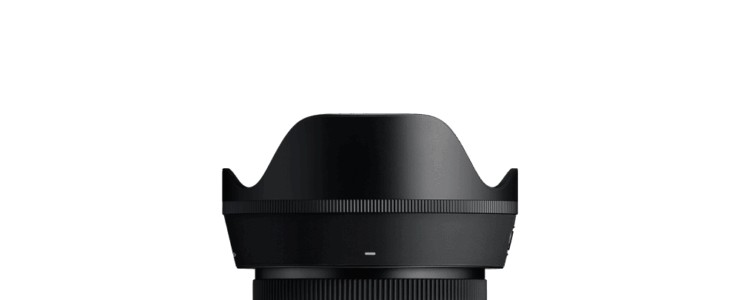
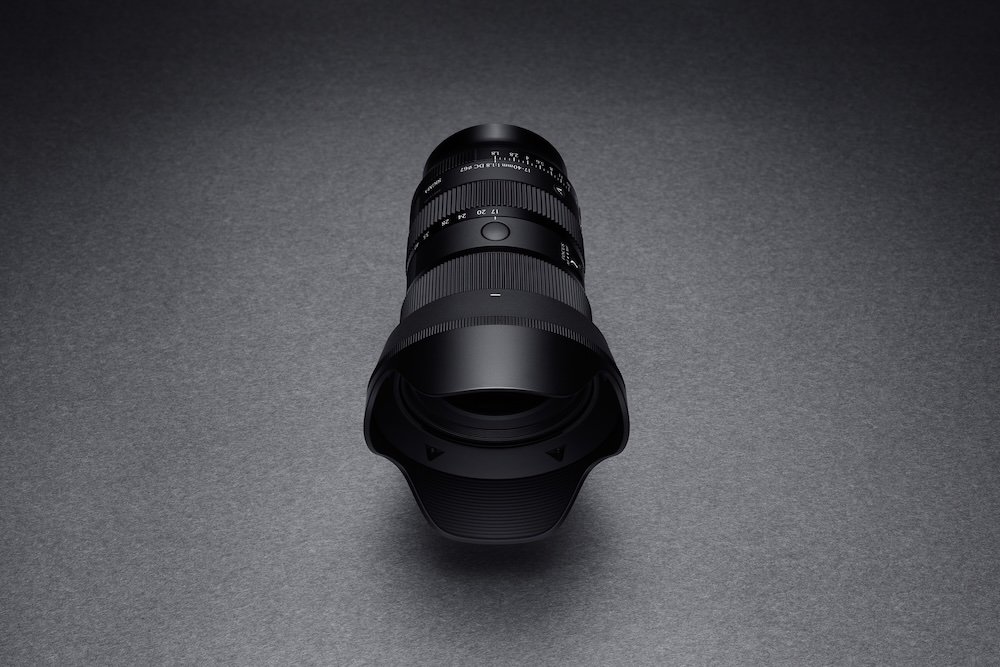
Sigma 17-40mm

Sigma announced the successor of their highly popular and regarded 18-35mm f/1.8 ART lens, the Sigma 17-40mm F1.8 DC | Art. I own the Sigma 18-35mm and can confirm it is an outstanding lens.

The Sigma 17-40mm F1.8 DC | Art lens will be available in mid-July at authorized Sigma dealers for Sony E-mount, L-Mount, Fujifilm X Mount, and Canon RF Mount for a retail price of $919.

Press release:

Sigma Corporation Announces the Versatile, Professional-Grade 17-40mm F1.8 DC | Art Lens, Pushing the Boundaries for Both Photography and Video

Ronkonkoma, NY, June 17, 2025 – Sigma Corporation of America, the US subsidiary of Sigma Corporation, is pleased to introduce the 17-40mm F1.8 DC | Art, the first Art lens for APS-C format since 2016, and the very first made exclusively for crop sensor mirrorless cameras.

At a glance:

  • APS-C | f/1.8 to f/16
  • 25.5 to 60mm (Full-Frame Equivalent)
  • Superfast Wide-to-Normal Zoom
  • HLA Autofocus
  • 11″ Minimum Focus Distance
  • Control Ring
  • SLD and Aspherical Elements
  • Water- and Oil-Repellent Coating
  • Dust & Splash Resistant Construction

This remarkable new lens is the direct successor to the groundbreaking 18-35mm F1.8 DC HSM | Art for DSLR cameras, offering the user a wider angle of view as well as more versatility at the telephoto end. With an updated optical design, it delivers the image quality and brightness of a prime lens, along with the versatility of a zoom. This fast, flexible lens is also designed with video shooting in mind, featuring an inner zoom, high-speed and silent linear autofocus, and minimal focus breathing, as well as a dust and splash-resistant structure for use in virtually any environment.

Significantly lighter than its predecessor, the 17-40mm F1.8 DC | Art lens weighs only 535g (18.9 oz.) and is stacked with features that will appeal to photographers, filmmakers and content creators alike, no matter what camera system it is paired with.

With an F1.8 large aperture and exceptional image quality comparable to a prime lens across the entire zoom range

This zoom lens for APS-C mirrorless cameras pushes the boundaries of still and video expression

The Sigma 17-40mm F1.8 DC | Art builds upon the groundbreaking innovations of the Sigma 18-35mm F1.8 DC HSM | Art, which earned high acclaim as the world’s first F1.8 zoom lens in the photography and video industry. Thirteen years after its debut, this next-generation lens achieves not only superior optical performance but also a wider focal length of 17-40mm while reducing its weight by over 30%. This dramatically enhances the versatility of a large aperture standard zoom lens.
In addition to the fast and quiet autofocus driven by the HLA (High-response Linear Actuator), the lens incorporates an inner zoom mechanism and minimal focus breathing, ensuring outstanding performance for both still photography and video production. Sigma, the pioneer that stunned the world with the first-ever F1.8 zoom lens, has once again revolutionized the history of large aperture zoom lenses with groundbreaking advancements.

Specifications:

  • Lens construction: 17 elements in 11 groups (4 SLD, 4 aspherical elements)
  • Angle of View: 79.7-39.1°
  • Number of Diaphragm Blades: 11 (Rounded Diaphragm)
  • Minimum Aperture: F16
  • Minimum Focusing Distance: 28cm / 11.1in.
  • Maximum Magnification Ratio: 1:4.8 at f=40mm
  • Filter Size: φ67mm
  • Maximum Diameter x Length: φ72.9mm x 115.9mm / φ2.9in. x 4.6in.
  • Weight: 535g / 18.9oz.
Sigma 17-40mm