These Guys Re-invented The Camera Battery, And It Looks Promising
camera battery

We all know the issue with the camera battery, especially the pros: you carry around many batteries to not run out of juice for your camera(s). A new Kickstarter project tries to tackle this from a new angle.

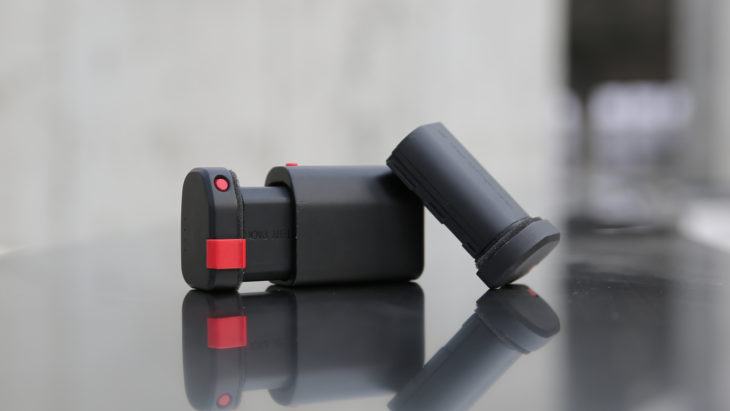
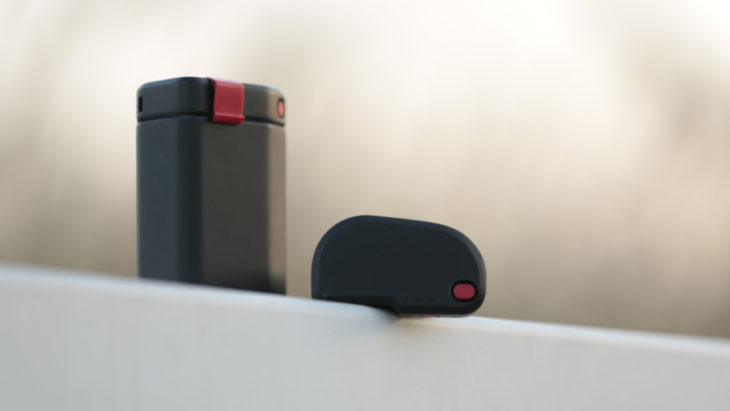
X-tra is a group of photographers and engineers who are into NATGEO photography and videography. They are behind the X-tra battery we are featuring here. At a glance:

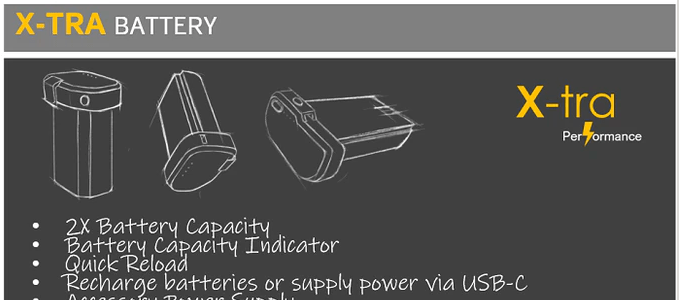
  • 2X Capacity
  • Charge Level Indicator
  • Quick Reload
  • Supply power via USB-C
  • Power bank Feature
  • USB-C Fast Charging
  • Grip Extension

The X-tra battery is compatible with the following Canon cameras: EOS R, EOS R5, EOS R6, EOS 5D IV, EOS 5D III, EOS 5D II, EOS 5Ds R, EOS 5Ds, EOS 6D, EOS 6D II, EOS 7D, EOS 7D II, EOS 90D, EOS 80D, EOS 70D, EOS 60D.

You can support the X-tra battery project on Kickstarter.

This is how the guys behind X-tra see it:

For many photographers, power is a major struggle. If you’re shooting video or working in live-view, a battery charge never seems to last, so you’re stuck carrying 3 or 4 batteries in your kit. X-tra battery is here to solve that problem and simplify your kit with one revolutionary accessory.

Think it’s hard to get excited about a battery? For most gear heads, power solutions and batteries have generally been the least sexy accessories there are, until now. The X-tra battery solves multiple photography headaches and even offers some solutions you didn’t know you needed but soon won’t be able to live without.

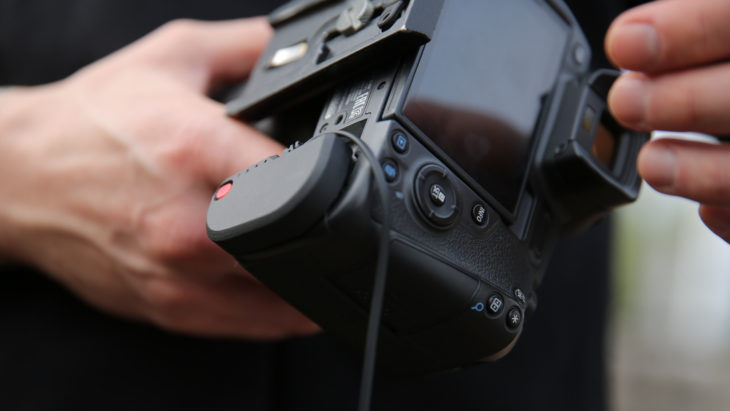
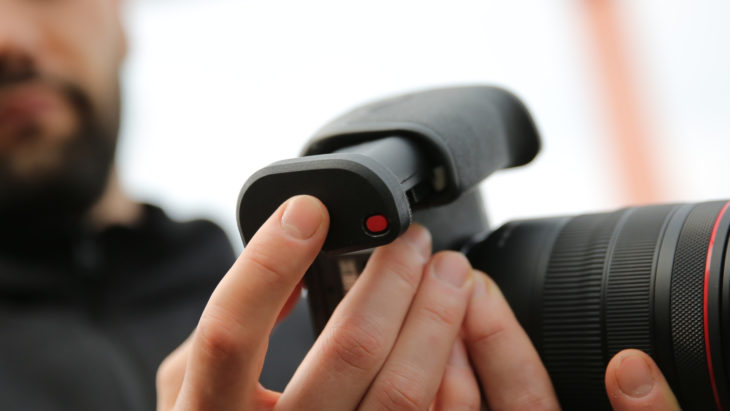
For starters, in terms of power capacity, the X-tra holds 3,700 mAh, which is two times the charge of Canon’s LP-E6. Previously the only option for a double capacity battery was to use two separate batteries within a battery grip, so lots of photographers will potentially be able to eliminate an additional piece of bulky equipment. The X-tra is a full-size camera battery, similar in size to the battery found in the Canon 1DX. The physical profile of the X-tra extends just beyond the bottom of the battery compartment on compatible camera models, providing a solid grip for larger hands and a comfortable, extra secure feel. Because the X-tra requires the camera’s battery door to be removed, you can quickly change out batteries with one hand without fumbling with a battery compartment door. When it is time to swap batteries, it’s a super fast and easy process. Just press up on the battery to release it and replace it with a fresh one.
MORE AFTER THE BREAK
Click here to open the rest of the article

Tokina atx-i 17-35mm f/4 Lens For Canon And Nikon FF Cameras

Tokina atx-i 17-35mm f/4

Tokina released a new and rather interesting lens for Canon EF and Nikon F mounts.

The Tokina atx-i 17-35mm f/4 lens sells at $599 and can be preordered at Adorama. Shipping starts December 11, 2020.

Tokina press release:

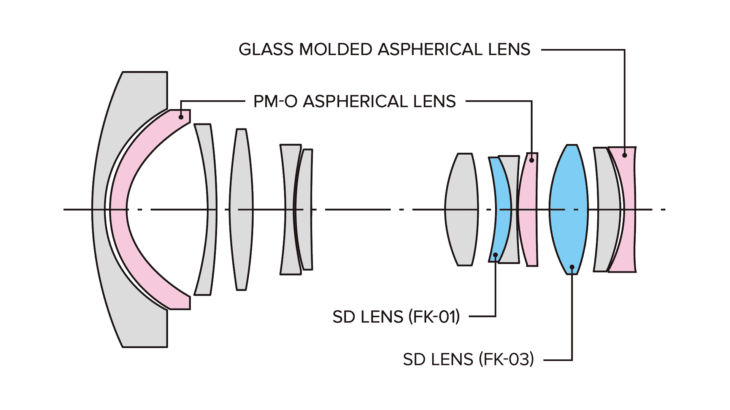
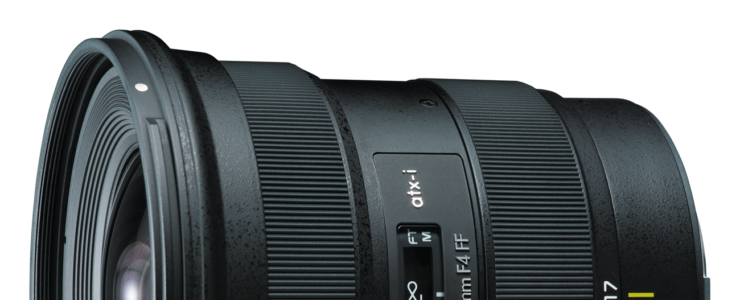
Tokina atx-i 17-35mm F4 FF is designed to fit Full Frame DSLR cameras and supports Nikon F and Canon EF mounts. With its wide angle properties this lens is a perfect gear for shooting landscapes, street snap, architecture and time-lapse. Constant f/4 aperture, robust design while maintaining a reasonable size and weight provide a new option for professional photographers who are especially active in travel.

Tokina atx-i 17-35mm F/4

Highlighted Features

  • Сompact lightweight and robust design – perfect for landscape, architecture , street snap and travel photography.
  • Precise AF actuated by combination of Tokina GMR sensor and SD-M (Silent Drive-Module).
  • Low vignetting, extremely low distortion and good sharpness throughout the image.
  • Moisture protection.
  • One-Touch Focus Clutch system.

Canon RF 50mm f/1.2L Firmware Update 1.0.5 Released (EOS C70 related)

canon rf mount Canon RF 50mm f/1.2L Review Canon rf lenses

Another Canon firmware update. One of the boutique lenses for the EOS R gets an update, the RF 50mm f/1.2L.

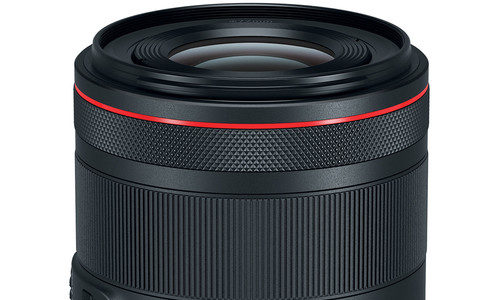
Firmware 1.0.5 for the RF 50mm f/1.2L incorporates the following improvement for the phenomenon:

  1. Reduces image noise when performing high sensitivity shooting with the RF50mm F1.2 L USM lens attached to the EOS C70 camera.

Download firmware 1.0.5 for the RF 50mm f/1.2L from Canon Australia.

More Canon Firmware Updates (EOS R6 , EOS R, EOS RP, EOS Ra, EOS-1D X Mark III)

canon firmware eos rp kit

Not just the Canon EOS R5. There are more Canon firmware updates: all EOS R series cameras and the EOS-1D X Mark III.

Canon EOS R6 firmware 1.2.0 (download):

1. When using high-speed or low-speed continuous shooting modes, in Drive Mode with [High Speed Display: OFF], the visibility of the subject within the frame has been improved when shooting moving objects.* *During continuous shooting black frames will be inserted between frames in the viewfinder and live view. This will improve the visibility of moving subjects in live view and in the viewfinder.

2. Adds the [Auto] setting to the [Viewfinder brightness] menu that will brighten and dim based on ambient light conditions.

3. Enables 2nd curtain shooting sync during radio transmission wireless flash shooting when the Speedlite EL-1 flash is attached to the camera.

4. Enables manual flash output (excluding high-speed sync and optical transmission wireless flash shooting) to be selected and set up to 1/8192 from the camera menu screen when the Speedlite EL-1 flash is attached to the camera.

5. Improves compatibility of HEIF images recorded in the camera with MIAF (Multi-Image Application Format) standards. 6. Adds support for AF and release during zoom operations for some RF and EF lenses.

Canon EOS R firmware 1.8 (download):

1. Improves color balance when the RF50mm F1.8 STM lens is attached to the EOS R camera.

2. Support has been added for the following lenses*: – RF70-200mm F2.8 L IS USM – RF100-500mm F4.5-7.1 L IS USM *With Firmware Version 1.7.0 and later.

Canon EOS RP firmware 1.6 (download):

1. Improves color balance when the RF50mm F1.8 STM lens is attached to the EOS RP camera.

2. Support has been added for the following lenses*: – RF70-200mm F2.8 L IS USM – RF100-500mm F4.5-7.1 L IS USM *With Firmware Version 1.5.0 and later.

Canon EOS Ra firmware 1.8.0 (download):

1. Improves color balance when the RF50mm F1.8 STM lens is attached to the EOS Ra camera.

2. Support has been added for the following lenses*: – RF70-200mm F2.8 L IS USM – RF100-500mm F4.5-7.1 L IS USM *With Firmware Version 1.7.0 and later.

Canon EOS-1D X Mark III firmware 1.3.0 (download):

1. Enables 2nd curtain shooting sync during radio transmission wireless flash shooting when the Speedlite EL-1 flash is attached to the camera.

2. Enables manual flash output (excluding high-speed sync and optical transmission wireless flash shooting) to be selected and set up to 1/8192 from the camera menu screen when the Speedlite EL-1 flash is attached to the camera.

3. Improves compatibility of HEIF images recorded in the camera with MIAF (Multi-Image Application Format) standards.

4. Fixes the phenomenon that may result in the occurrence of time-out under certain conditions during FTP transfer.

Canon EOS R5 Firmware 1.2.0 Released (bug fixe & some new features)

canon EOS R5 Firmware Update sony a7s iii

Canon released another Canon EOS R5 firmware update, verision 1.2.0.

Canon EOS R5 firmware 1.2.0 incorporates the following fixes and features:

1. When using high-speed or low-speed continuous shooting modes, in Drive Mode with [High Speed Display: OFF], the visibility of the subject within the frame has been improved when shooting moving objects (during continuous shooting black frames will be inserted between frames in the viewfinder and live view. This will improve the visibility of moving subjects in live view and in the viewfinder)
2. Adds the [Auto] setting to the [Viewfinder brightness] menu that will brighten and dim based on ambient light conditions.
3. Enables 2nd curtain shooting sync during radio transmission wireless flash shooting when the Speedlite EL-1 flash is attached to the camera.
4. Enables manual flash output (excluding high-speed sync and optical transmission wireless flash shooting) to be selected and set up to 1/8192 from the camera menu screen when the Speedlite EL-1 flash is attached to the camera.
5. Improves compatibility of HEIF images recorded in the camera with MIAF (Multi-Image Application Format) standards.
6. Adds support for AF and release during zoom operations for some RF and EF lenses.

Download Canon EOS R5 firmware 1.2.0 here.

Canon Cameras Do Not Properly Delete Copyright Info (all EOS cams since 2007)

canon rumors canon full frame mirrorless

You likely know that you can set up copyright info in you Canon camera and I am sure a lot of you do. It’s a good idea if you care about intellectual rights. Unfortunately it seems your info stays there even after you deleted it from the settings.

That’s not good, and even worse for the privacy-concerned people. Copyright information you can save consists of owner name, artist name, copyright and IPTC info (on newer cameras). Laszlo Pusztai, author of the ShutterCount app, found a weird bug in Canon EOS cameras, and according to him it affects all EOS cameras since 2007.

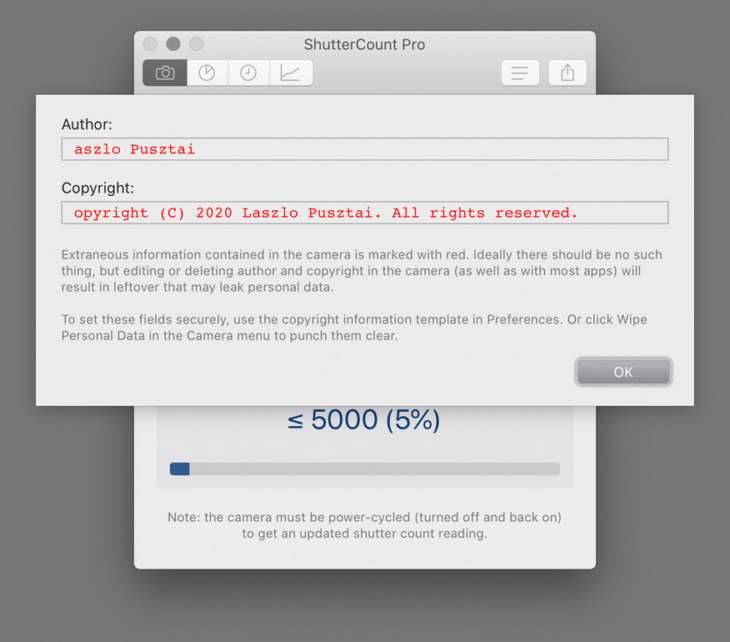
You use the camera’s Delete copyright information menu item, thinking that it will remove everything. Unfortunately this isn’t the case. Besides not touching owner and IPTC fields at all, it only replaces the very first character of the author name and copyright fields with a zero, leaving your previously set copyright information in the camera.

Not deleted copyright information as displayed by ShutterCount Pro

That’s bad. Imagine you sell your camera. You don’t want a camera with your copyright info to go around the world. And what if your old camera is found at a crime scene? Or let’s say your camera gets stolen and even if the thief deletes copyright information from settings, law enforcement might still find your name and address. Just use your imagination: an electronic device out there with your personal information stored on it an readable to anyone.

Laszlo’s article explains how this bug also affects the EOS Utility, and how to get rid of the problem. Either with the ShutterCount app, or manually by going through an easy yet time consuming process:

[…] first delete both the owner and and IPTC info with EOS Utility, then go into the camera’s menu and completely fill the author and copyright fields with spaces, or X characters (or anything you would like), and save them. Then use the Delete copyright information menu item.

Or you can do it automatically, the ShutterCount Pro Wipe Personal Data command will securely delete all ownership and copyright information from the camera.

Let’s hope Canon fixes this ugly bug soon, and thanks to Laszlo for sharing his findings.