Canon EOS R5 Firmware 1.2.0 Released (bug fixe & some new features)
canon EOS R5 Firmware Update sony a7s iii

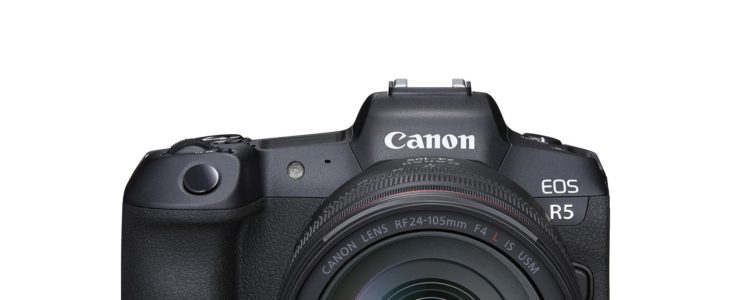
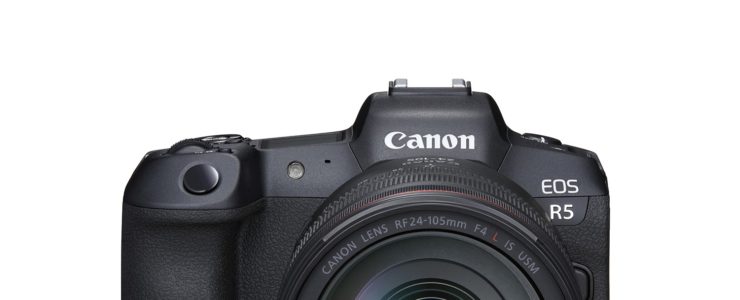
Canon released another Canon EOS R5 firmware update, verision 1.2.0.

Canon EOS R5 firmware 1.2.0 incorporates the following fixes and features:

1. When using high-speed or low-speed continuous shooting modes, in Drive Mode with [High Speed Display: OFF], the visibility of the subject within the frame has been improved when shooting moving objects (during continuous shooting black frames will be inserted between frames in the viewfinder and live view. This will improve the visibility of moving subjects in live view and in the viewfinder)
2. Adds the [Auto] setting to the [Viewfinder brightness] menu that will brighten and dim based on ambient light conditions.
3. Enables 2nd curtain shooting sync during radio transmission wireless flash shooting when the Speedlite EL-1 flash is attached to the camera.
4. Enables manual flash output (excluding high-speed sync and optical transmission wireless flash shooting) to be selected and set up to 1/8192 from the camera menu screen when the Speedlite EL-1 flash is attached to the camera.
5. Improves compatibility of HEIF images recorded in the camera with MIAF (Multi-Image Application Format) standards.
6. Adds support for AF and release during zoom operations for some RF and EF lenses.

Download Canon EOS R5 firmware 1.2.0 here.

Canon Cameras Do Not Properly Delete Copyright Info (all EOS cams since 2007)

canon rumors canon full frame mirrorless

You likely know that you can set up copyright info in you Canon camera and I am sure a lot of you do. It’s a good idea if you care about intellectual rights. Unfortunately it seems your info stays there even after you deleted it from the settings.

That’s not good, and even worse for the privacy-concerned people. Copyright information you can save consists of owner name, artist name, copyright and IPTC info (on newer cameras). Laszlo Pusztai, author of the ShutterCount app, found a weird bug in Canon EOS cameras, and according to him it affects all EOS cameras since 2007.

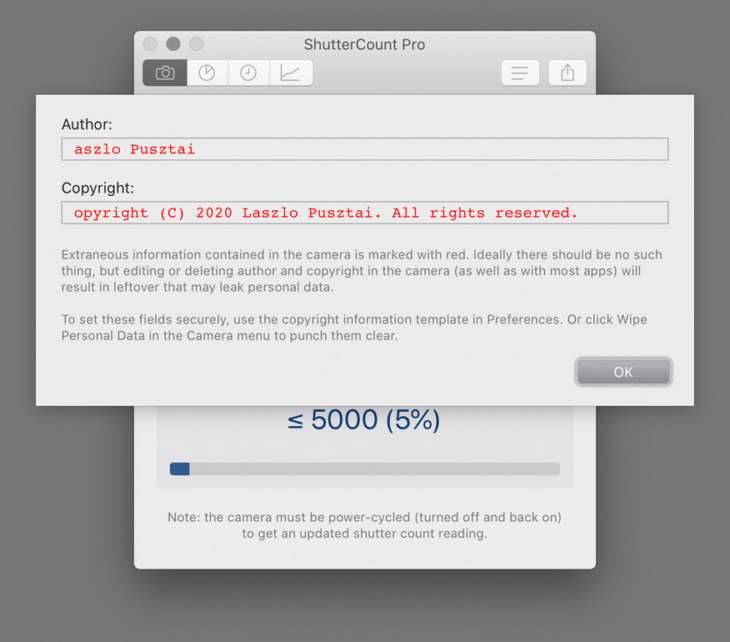
You use the camera’s Delete copyright information menu item, thinking that it will remove everything. Unfortunately this isn’t the case. Besides not touching owner and IPTC fields at all, it only replaces the very first character of the author name and copyright fields with a zero, leaving your previously set copyright information in the camera.

Not deleted copyright information as displayed by ShutterCount Pro

That’s bad. Imagine you sell your camera. You don’t want a camera with your copyright info to go around the world. And what if your old camera is found at a crime scene? Or let’s say your camera gets stolen and even if the thief deletes copyright information from settings, law enforcement might still find your name and address. Just use your imagination: an electronic device out there with your personal information stored on it an readable to anyone.

Laszlo’s article explains how this bug also affects the EOS Utility, and how to get rid of the problem. Either with the ShutterCount app, or manually by going through an easy yet time consuming process:

[…] first delete both the owner and and IPTC info with EOS Utility, then go into the camera’s menu and completely fill the author and copyright fields with spaces, or X characters (or anything you would like), and save them. Then use the Delete copyright information menu item.

Or you can do it automatically, the ShutterCount Pro Wipe Personal Data command will securely delete all ownership and copyright information from the camera.

Let’s hope Canon fixes this ugly bug soon, and thanks to Laszlo for sharing his findings.

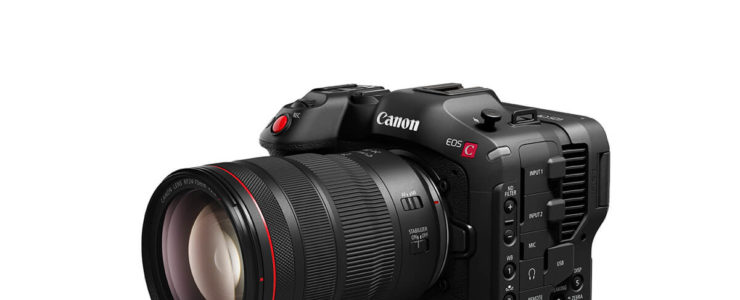
Canon Cinema EOS C70 User Manual Available For Download

canon eos c70 canon eos c50

Want to learn more about the Canon Cinema EOS C70? What’s better than the user manual?

The user manual for the Canon Cinema EOS C70 can be downloaded at Canon Thailand.

At a glance:

  • Super35 Dual Gain Output (DGO) Sensor
  • 4K 120p, 2K Crop 180p HDR Capture
  • Canon Log 2, 3, PQ & HLG Recording
  • RF Lens Mount / EF Mount with Adapter

Canon Cinema EOS C70: [shoplist 63827]

Click here to open the rest of the article

Canon Released Full Version Of EOS Webcam Utility For Mac OS

eos webcam utility

Canon’s EOS Webcam Utility for Mac OS is out of beta and has released as full version. With this software you can use a Canon camera as a webcam for video conferences, meetings, and whatnot.

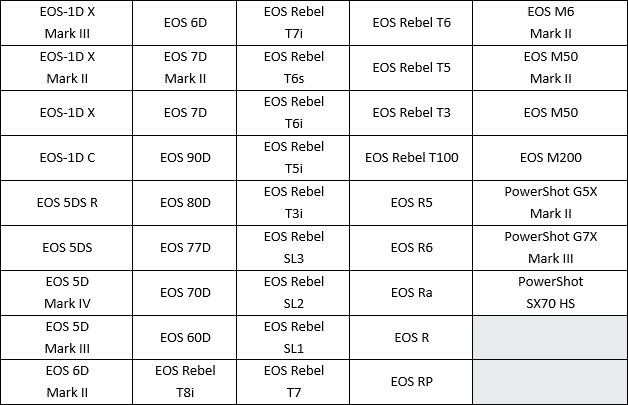
You can download Canon EOS Webcam Utility here. Support can be found in the forum or at Canon’s. The new software will be available worldwide and available for download directly from the Canon website in each region. Canon’s Webcam Utility is compatible with these Canon cameras:

eos webcam utility

Watch as Canon Senior Pro Market Specialist Genaro takes you through the steps to install and set up your camera on your Macintosh operating system, as well as enable the software to be used within your favorite video conferencing or streaming app for high quality video.

DPReview reviewed the beta version for Windows.

Canon EOS R5 Body And Kits In Stock At Canon Direct Store

Canon EOS R5 review

The Canon Direct Store has the Canon EOS R5 in stock.

Click here to see all offered Canon EOS R5 kits in stock at Canon USA.

Canon EOS R5 reviews are listed here. The EOS R5 is highly regarded as a stills camera. In particular, the EOS R5 autofocus system seems to be huge leap forwards. User manual are available for download for the EOS R5 and the EOS R6.

Canon EOS R5: [shoplist 62744]

Click here to open the rest of the article

Canon’s CE-SAT-2B Experimental Satellite Successfully Launched Into Space

CE-SAT-2B

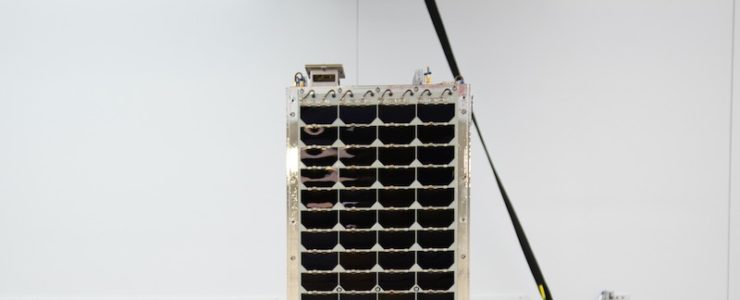
Canon’s CE-SAT-2B Earth-imaging satellite has been launched into space without issues.

The Canon CE-SAT-IIB is a microsatellite equipped with middle-size telescope and an ultra-high sensitivity camera to take night images of the Earth. This time three types of cameras are mounted on the satellite, one of them being a mirrorless camera (EOS M100) and another one a compact camera for wide angle images (PowerShot G9X Mark II).

Spaceflight Now reports:

The largest spacecraft on Wednesday’s mission was CE-SAT-2B, an Earth observation satellite for Canon Electronics of Japan.

The 78-pound (35.5-kilogram) spacecraft is Canon’s third microsatellite to launch, following an experimental Earth-imaging station that launched in 2017 on an Indian PSLV rocket.

A follow-on satellite named CE-SAT 1B launched in July on a previous Rocket Lab mission, but it was destroyed when the Electron rocket failed before reaching orbit.

According to Canon, CE-SAT-2B carries three types of cameras to be demonstrated in orbit.

“With the newly developed super high sensitivity camera, CE-SAT-2B is capable of observing the Earth during night time,” Canon said in a press release. “The satellite is equipped with three types of cameras including Canon’s mirrorless camera and compact digital camera.

“CE-SAT-2B will go through a two-year demonstration experiment for forthcoming production of cassegrain reflectors as series,” Canon said.

Thanks Edina for the tip.