Here Is The Canon EOS C70, Cinema Camera With RF Mount
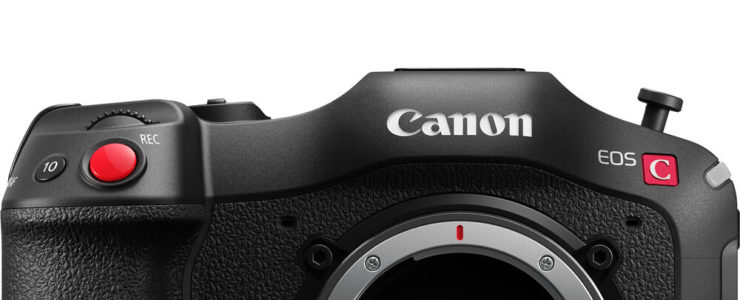
Canon EOS C70

While there is no official press release yet (but a leaked one from Canon Australia), Canon USA lists the Canon EOS C70 on their product page, and the C70 has been officially announced by Canon.

Preorders also are live, at $5,499 at B&H Photo and Adorama.

World-wide preorder:

[shoplist 63827]

Key features:

  • Super35 Dual Gain Output (DGO) Sensor
  • 4K 120p, 2K Crop 180p HDR Capture
  • Canon Log 2, 3, PQ & HLG Recording
  • RF Lens Mount / EF Mount with Adapter

The first video is from the people at CineD.

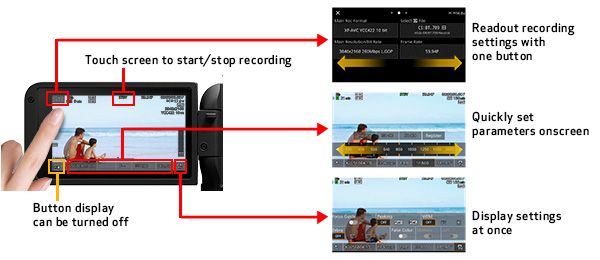
Developed with an idea of combining the Cinema EOS series with the EOS R series, the new EOS C70 offers exceptional image quality and professional video features in a compact and mobile form factor, perfect for documentary, newsgathering, and corporate videos.

The EOS C70 is the first Cinema EOS camera with a built-in RF-lens mount, which was previously a feature that was only used for the EOS R series of mirrorless cameras. The RF-mount offers users access to Canon’s superb line of RF-lenses, which are quick, reliable and provide brilliant image quality. There is also a full 2, 4, 6, 8, and 10-stop internal ND filter system in the relatively small flange depth of the RF-mount.

Canon’s EOS C70 is also equipped with a Super 35mm Dual Gain Output (DGO) Sensor that is capable of over 16 stops of dynamic range. The DIG!C DV7 Image Processor expands functionality and flexibility by enabling features such as 4K 120p High Frame Rate recording and Dual Pixel Autofocus.

EF Lens Compatibility with EF-EOS R 0.71X.

The EOS C70 is the first Cinema EOS camera engineered with a built-in RF mount making it compatible with Canon’s expanding line of high-performance RF lenses. The short flange distance helps to dramatically reduce body depth, resulting in a more compact design.

In addition to RF lenses, the EOS C70 offers tremendous flexibility by also being compatible with Canon’s broad line of award-winning EF lenses thanks to the new EF – RF optical adapter. This adapter converts light transmission from full-frame to Super 35mm image format. It extends the angle of view and optical sensitivity, while seamlessly integrating with the camera’s optical corrections. mount adapter.
canon eos c70

Dual Pixel CMOS AF & EOS iTR AF X.

Canon’s Dual Pixel CMOS AF technology uses every pixel on the imaging sensor to detect focus and to capture actual image information, offering users high precision focusing and exceptional image quality.

The EOS C70 is the first Cinema EOS camera to feature EOS iTR AF X, which includes a head detection algorithm developed with deep learning technology. In Face Detection mode, the AF works with this advanced algorithm to dramatically improve distance measuring and tracking reliability.

Canon press release after the break.

Click here to open the rest of the article

A Low Res Video And A High Res Photo Cam For The Canon EOS R Lineup?

canon eos r6 manual

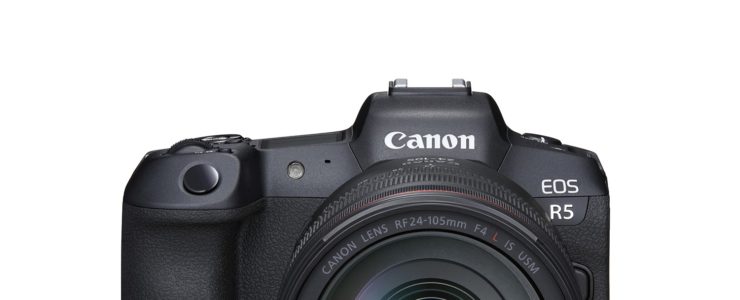
We got a rumor from a new source about a possible Canon EOS R5C (or R3C) video camera and a Canon EOS R5S (or R3S) camera with a high resolution sensor.

The Canon EOS R5C/R3C and the EOS R5S/R3S are said to share the same camera body form factor. Here is what else got suggested:

  • R5C/R3C has the same sensor technology as the EOS R5 but with half resolution
  • R5C/R3C records 4K/120P with no crop
  • R5C/R3C does 2.8K supersampling in super35 mode
  • Both have a newly developed heat sink
  • R5S/R3S has “double-width resolution sensor of EOS R6
  • R5S/R3S does 12fps
  • Dual Pixel AF performance in low light better than EOS R5 and EOS R6.
  • R5S/R3S “high resolution monster being hybrid for quality and speed

To be honest we have some doubts about this rumor. Besides the moniker uncertainty there is more that makes us wonder. Even if something might have got lost in translation, we wonder what “double-width resolution” exactly means.

Take this with a huge grain of salt. All Canon rumors are listed here.

Canon Release New Generation Of IVY CLIQ Instant Camera Printer

ivy cliq

Canon released a new generation of their pocketable instant camera printer, the IVY CLIQ+2 and IVY CLIW2.

Preorders are available at $99 and $149 at B&H Photo | Adorama | Amazon

Canon press release:

The Next Generation of Canon’s Instant Camera Printer, IVY CLIQ+2 and IVY CLIQ2, Encourage Snap and Print Stickable Memories – In an Instant

Pre-Cut Circle Sticker Paper also Introduced, Taking prints with an IVY product to Another Dimension

MELVILLE, NY, September 16, 2020How long is an instant? It could be long enough to snap the camera shutter at the right moment, but short enough to instantly print a photo from your compatible smartphone and share it with friends. In the essence of capturing, printing and sticking your photos, Canon U.S.A., Inc., a leader in digital imaging solutions, today announced the next generation of IVY products: The IVY CLIQ+2 Instant Camera Printer + App and IVY CLIQ2 Instant Camera Printer. Designed with fun at their core and an all-in-one package, the new IVY CLIQ2 instant camera printers boast new features and print color quality improvements.

“This next phase in the IVY product line is a direct result of what the end-user is passionate about when it comes to instant camera printers. Expressing individual style, instant access to printing and the option to stick photos are what make the new IVY products exciting for Gen-Z and Millennial consumers who are looking to think beyond their smartphone’s photography capabilities,” said Tatsuro “Tony” Kano, executive vice president of the Canon U.S.A., Inc. Imaging Technologies & Communications Group.

IVY CLIQ+2 Instant Camera Printer + App
True to its predecessor, the instant camera printer + app is equipped with an eight-megapixel1 camera and a selfie mirror surrounded by a glowing light ring of LEDs. The CLIQ+2 also connects to a compatible smartphone and the Canon Mini Print app2. Packed full of fun filters and borders – which are available with seasonal and celebratory themes – the app lets users customize and personalize their prints. Snap-happys also have the option to print from an SD card and the now available Live View allows users to check the image before clicking.

Though the CLIQ+2 is small, it is mighty with the “2 in 1” ability to both snap a photo and print a photo which also doubles as a sticker – if you so choose. Simply peel off the photo backing and stick wherever you like. Don’t let the slim and sleek design fool you – upping the instant camera printer + app ante, the new CLIQ+2 +app has new fresh features to channel all that creative energy, including:

  • Three modes directly built into the camera to snap photos, such as:
    • Landscape
    • Portrait
    • Selfie
  • Built-in frame and filters – available directly from the camera

Adding another layer of creativity, Zink Pre-Cut Circle Sticker paper is a new consumable to use with the CLIQ+2 Instant Camera Printer +App. Through the Canon Mini Print app2,the consumer simply selects the “Pre-Cut Sticker” layout option, and then can edit their circular formatted photo to their liking and instantly print.

Available in Rose Gold and Midnight Navy, the CLIQ+2 Instant Camera + App will instantly make a sticking impression on friends and family!

Click here to open the rest of the article

New Canon EOS Webcam Utility Released, Windows Version Now Out Of Beta

eos webcam utility

Canon released a new version of their EOS Webcam Utility. The EOS Webcam Utillity allows you to use your Canon DSLR or MILC as a webcam.

To download the full production version of the EOS Webcam Utility software for Windows and learn how to use it, visit https://www.usa.canon.com/support/eoswebcamutility. If you have previously downloaded the EOS Webcam Utility Beta version, please make sure to uninstall it prior to installation of the full production version.

Canon press release:

Direct from Canon Customers, The Next Chapter in the EOS Webcam Utility Software Story has Arrived with the Launch of the Full Production Version for Windows

New Version Adds More Compatible Canon EOS Cameras to the Solution and Expands to Global Usage

MELVILLE, NY, September 16, 2020It has been a whirlwind the last few months in the world of EOS Webcam Utility software. With over 700,000 downloads after launching the beta version of the software in April, Canon U.S.A., Inc., a leader in digital imaging solutions, has helped people stay connected with high quality video for communication with ease of use. And today, the company unveils the full production version of the EOS Webcam Utility software for Windows. The full production version expands to include additional compatible EOS Interchangeable Lens Cameras (ILC) such as the new EOS R5 and EOS R6 cameras. In addition, the new software will be available worldwide and available for download directly from the Canon website in each region.

A common thread and conversation throughout the beta software forums was the compatibility of camera models. Many customers were excited to experience the beta version of EOS Webcam Utility software and wanted the list of 25 cameras that were compatible to be more extensive. In true Canon fashion – those voices have been heard loud and clear – now, a total of 42 EOS ILC and PowerShot cameras are compatible with the full production software, including the new EOS R5 and EOS R6 cameras. The complete list of compatible cameras includes:

EOS-1D X
Mark III
EOS 6DEOS Rebel T7iEOS Rebel T6EOS M6 Mark II
EOS-1D X
Mark II
EOS 7D Mark IIEOS Rebel T6sEOS Rebel T5EOS M50
EOS-1D XEOS 7DEOS Rebel T6iEOS Rebel T3EOS M200
EOS-1D CEOS 90DEOS Rebel T5iEOS Rebel T100PowerShot G5X Mark II
EOS 5DS REOS 80DEOS Rebel T3iEOS R5PowerShot G7X Mark III
EOS 5DSEOS 77DEOS Rebel SL3EOS R6PowerShot SX70 HS
EOS 5D Mark IVEOS 70DEOS Rebel SL2EOS Ra 
EOS 5D Mark IIIEOS 60DEOS Rebel SL1EOS R 
EOS 6D Mark IIEOS Rebel T8iEOS Rebel T7EOS RP


Another common conversation theme within the beta software forums was compatibility with third-party applications. As of announcement day, the new production version of the software has been tested* with various video conferencing applications** as well as streaming applications including:

Cisco Webex®MessengerStreamlabs
DiscordMicrosoft TeamsYouTube Live
Facebook LiveOpen Broadcaster Software®️Zoom
Hangouts™Skype 
Hangouts Meet™Slack 

Moreover, customers have desired to record a high-quality video file onto the memory card in their camera while video conferencing or streaming, and we listened. This can now be achieved*** by simply pressing the record button on the camera and not through the software.

Click here to open the rest of the article

Canon Unveils The PowerShot Zoom, A Crowdfunded Concept Camera (100-400mm)

powershot zoom

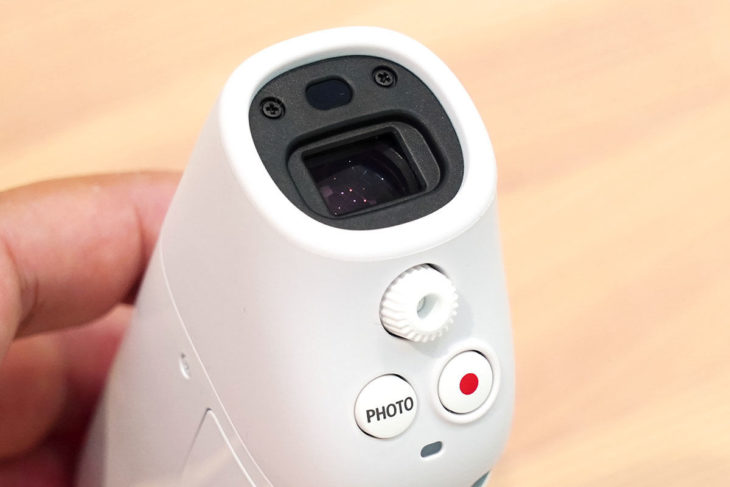
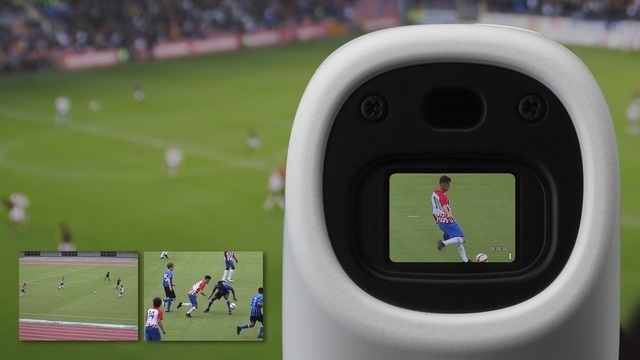
It’s the season of the concept cameras, apparently. Canon unveiled the PowerShot Zoom, a concept camera with an unusual form factor.

A prototype of the PowerShot Zoom was presented a year ago by Canon. Now, here it is, crowdfunded on Japanese Makuake. The PowerShot Zoom will be available only in Japan for the time being.

Some specifications are available:

  • CMOS image sensor 12.1mp 1/3″
  • 10fps
  • ISO 100-3200
  • 100-400mm f/5.6-6.3 IS
  • 800mm digital zoom
  • 1080p at 24fps
  • Face recognition AF
  • Optical Image Stabilization
  • microSDXC card slot
  • USB-C
  • Weight: 144g (0.3lbs)
  • Price $300

[via Focus Numeriques]

Finally! Canon Answers EOS R5/R6 Overheating Questions In Interview

canon eos r5 overheating

It was just a matter of time before some Canon executive would speak out about the Canon EOS R5 and EOS R6 overheating drama.

It’s Johnnie Behiri of CineD to interview Mr. Katsuyuki Nagai, Product Management Director of Image Communication Business at Canon Europe. Here are some excerpts from the interview.

Johnnie – CineD: The Canon EOS R5 is already shipping and there is no doubt that the camera is a technical marvel. What led Canon to introduce this product and don’t you think that introducing such an 8K mirrorless camera is a bit too early?

Katsuyuki Nagai-sanCanon: Someone has to be first, right?

[…]

Johnnie – CineD: Both cameras suffered from overheating issues in video recording and more than that, long recovery times. By introducing the latest firmware update, it seems as if Canon is trying to overcome some of those issues by allowing longer recording and shorter recovery waiting times (until the camera can film again). What exactly is causing those cameras to overheat and what’s the new FW doing in order to help here?

Katsuyuki Nagai-sanCanon: I think we should look at the fundamentals of the whole topic to give a better perspective. The cameras feature cutting edge features squeezed into compact bodies designed to offer weather resistance.

This is where we come to the first of the two governing factors that affect the cameras when it comes to overheating. Holding a very warm object for an extended period has the potential to result in what is known as low temperature burns. Secondary is to protect the internal components of the camera from the overheating. We limit how hot the external body of the camera can get to protect users, which is one of the causes of overheat shutdown. Some heat management must also be applied to ensure the camera continues to operate.

The interview is absolutely worth your time and we recommend you head over to CineD to read it.

The EOS R5 seems to be highly regarded as a stills camera. In particular, the EOS R5 autofocus system seems to be huge leap forwards. More Canon EOS R5 review stuff is listed here, for the EOS R6 see here. User manual are available for download for the EOS R5 and the EOS R6. My opinion about the EOS R5 overheating hysteria is listed here.

Canon EOS R5 body and kits preorder links: [shoplist 62744]