Canon Cameras Do Not Properly Delete Copyright Info (all EOS cams since 2007)

canon rumors canon full frame mirrorless

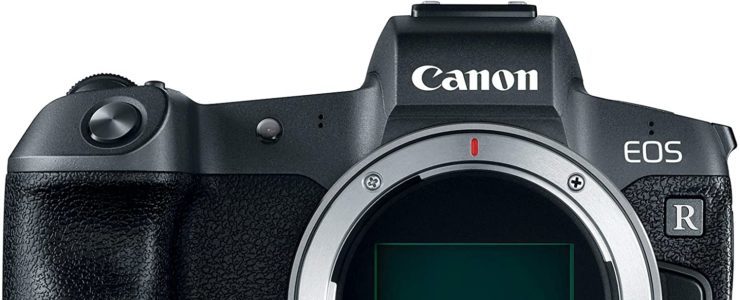
You likely know that you can set up copyright info in you Canon camera and I am sure a lot of you do. It’s a good idea if you care about intellectual rights. Unfortunately it seems your info stays there even after you deleted it from the settings.

That’s not good, and even worse for the privacy-concerned people. Copyright information you can save consists of owner name, artist name, copyright and IPTC info (on newer cameras). Laszlo Pusztai, author of the ShutterCount app, found a weird bug in Canon EOS cameras, and according to him it affects all EOS cameras since 2007.

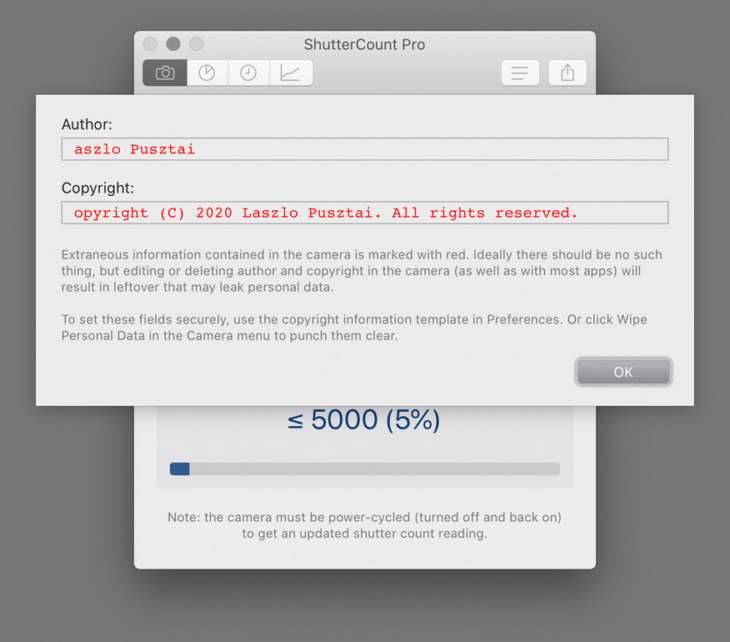
You use the camera’s Delete copyright information menu item, thinking that it will remove everything. Unfortunately this isn’t the case. Besides not touching owner and IPTC fields at all, it only replaces the very first character of the author name and copyright fields with a zero, leaving your previously set copyright information in the camera.

Not deleted copyright information as displayed by ShutterCount Pro

That’s bad. Imagine you sell your camera. You don’t want a camera with your copyright info to go around the world. And what if your old camera is found at a crime scene? Or let’s say your camera gets stolen and even if the thief deletes copyright information from settings, law enforcement might still find your name and address. Just use your imagination: an electronic device out there with your personal information stored on it an readable to anyone.

Laszlo’s article explains how this bug also affects the EOS Utility, and how to get rid of the problem. Either with the ShutterCount app, or manually by going through an easy yet time consuming process:

[…] first delete both the owner and and IPTC info with EOS Utility, then go into the camera’s menu and completely fill the author and copyright fields with spaces, or X characters (or anything you would like), and save them. Then use the Delete copyright information menu item.

Or you can do it automatically, the ShutterCount Pro Wipe Personal Data command will securely delete all ownership and copyright information from the camera.

Let’s hope Canon fixes this ugly bug soon, and thanks to Laszlo for sharing his findings.

Canon Cinema EOS C70 User Manual Available For Download

canon eos c70 canon eos c50

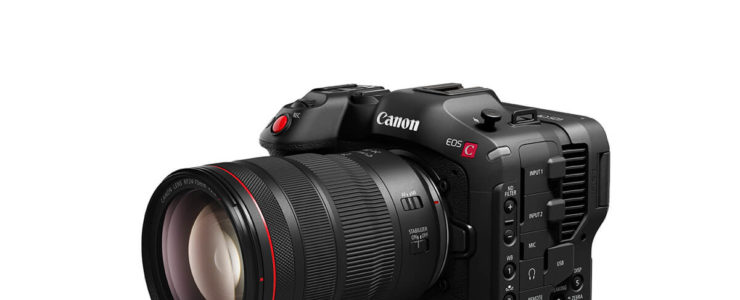
Want to learn more about the Canon Cinema EOS C70? What’s better than the user manual?

The user manual for the Canon Cinema EOS C70 can be downloaded at Canon Thailand.

At a glance:

  • Super35 Dual Gain Output (DGO) Sensor
  • 4K 120p, 2K Crop 180p HDR Capture
  • Canon Log 2, 3, PQ & HLG Recording
  • RF Lens Mount / EF Mount with Adapter

Canon Cinema EOS C70: [shoplist 63827]

Click here to open the rest of the article

Save Up To 52% On Lexar Professional 3500x CFast 2.0 Memory Cards (64-512GB, today only)

Lexar Professional 3500x

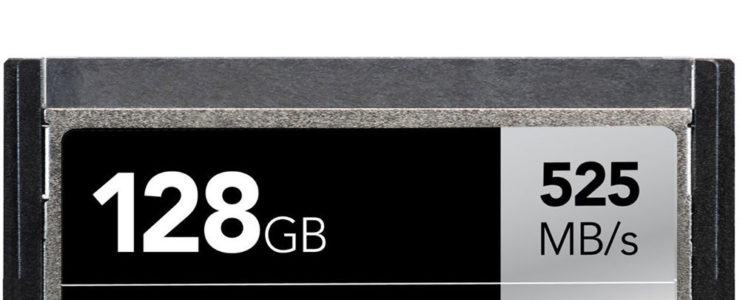
Only for today (11/15/20) B&H Photo has solid discounts on Lexar Professional 3500x CFast 2.0 memory cards.

At a glance:

  • 64GB, 128GB, 256GB, 512GB Storage Capacity
  • CFast 2.0 Card Type
  • 3500x Speed Rating
  • Max. Read Speed: 525 MB/s

Get discounted Lexar Professional 3500x CFast 2.0 memory cards:


More hand-picked deals are listed here.

Get a handmade Hyperion camera strap with 15% discount by using our code CanonWatch.

Get DxO PhotoLab 4 with a 30% discount.

Today’s Gold Box and one day only deals at Amazon USAmazon DEAmazon UKB&H Photo, eBayAdorama.

Save $10 on Luminar 4 and/or Aurora HDR 2019 using our code “WATCH” at checkout.

Click here to open the rest of the article

Canon PowerShot Zoom Review (old tech in a new monocular shell, Photography Blog)

canon powershot zoom review

Here is Canon PowerShot Zoom review. The PowerShot is a concept camera with a 100-400mm telephoto.

At a gance:

  • 12.1MP CMOS Sensor
  • 100-400mm Equivalent Optical Zoom
  • One-Touch Switchable Zoom
  • Full HD 1080p Video at 30 fps

Photography Blog posted their Canon PowerShot Zoom review. They are not very fond of this gadget, and rated it “below average” with a 3/5 score. From their conclusion:

Let’s start with the positives. We like the design. The PowerShot Zoom is tiny, lightweight and its button layout is logical enough. After some adjustment, you should be able to operate the zoom single-handed with you eye up to the viewfinder.

The 0.39-inch EVF with 2.36-million-dot resolution and 60fps refresh rate provides a clear and smooth viewing experience, being paired with the decent optical stabilisation. This is fundamentally the single and most important reason to consider the PowerShot Zoom.

Is the smooth and stable handheld viewing experience alone enough to merit the significant higher price over an optical monocular? Well, maybe, but the PowerShot Zoom can take photos and videos, too.

Sadly, we cannot recommend the Canon PowerShot Zoom as a photographic tool. Image quality is poor, while autofocus performance and limitation is frustrating when closer to subjects. This is some old tech in a new monocular shell.

Read the review at Photography Blog…

Canon PowerShot Zoom: [shoplist 64122]

Click here to open the rest of the article

Canon Released Full Version Of EOS Webcam Utility For Mac OS

eos webcam utility

Canon’s EOS Webcam Utility for Mac OS is out of beta and has released as full version. With this software you can use a Canon camera as a webcam for video conferences, meetings, and whatnot.

You can download Canon EOS Webcam Utility here. Support can be found in the forum or at Canon’s. The new software will be available worldwide and available for download directly from the Canon website in each region. Canon’s Webcam Utility is compatible with these Canon cameras:

eos webcam utility

Watch as Canon Senior Pro Market Specialist Genaro takes you through the steps to install and set up your camera on your Macintosh operating system, as well as enable the software to be used within your favorite video conferencing or streaming app for high quality video.

DPReview reviewed the beta version for Windows.